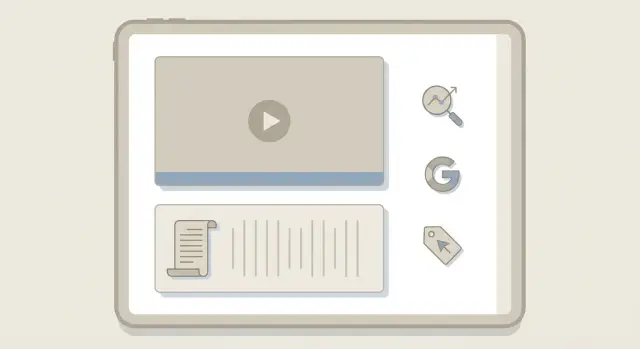
What video changes for SEO on a blog page
Adding a video can change how a blog page performs in search, but not because Google watches it the way a person does. Search engines mainly understand the text around the video and the details you provide about it.
They can reliably pick up:
- The page text (headline, intro, captions, surrounding copy)
- Structured data you add (VideoObject schema)
- Basic metadata (title, thumbnail, duration, upload date)
- Some engagement signals (indirect and noisy)
What they usually can’t “read” on their own is the spoken content inside the video. Without a transcript (or strong on-page copy), the best explanation may be invisible to search.
It also helps to separate two goals: ranking your blog page vs. ranking a video platform page. If you embed a YouTube video, YouTube may rank in video results while your blog page competes in regular web results. Most of the time, the win is making the blog page more useful and easier to trust.
Video isn’t a guarantee. It can strengthen relevance (the page answers the query more completely) and keep people around longer, but it can also backfire if it slows the page, distracts from the main answer, or replaces the on-page content.
Video schema is a short, structured description of your video (often called VideoObject). It gives search engines clear facts like the name, thumbnail, duration, and where the video can be watched. When video enhancements are available, that can improve how your result is displayed.
When video helps and when it gets in the way
Video earns its place when readers need to see a process, judge a product, or verify a result. If a post is basically “show me how,” a short video can remove confusion fast.
It’s especially useful when motion, clicks, timing, or before-and-after changes matter. Think step-by-step tutorials, product demos, comparisons, and setup walk-throughs. If one missed step causes failure, video often reduces support questions because people can match what they see.
Video is usually unnecessary when the reader wants a quick answer and leaves. Definitions, short FAQs, and simple “best time/price/size” queries often do better with clean text and a single image.
Video can also hurt if it slows the page, steals attention from the main answer, or tempts you to publish a thin page that mostly repeats what’s said on screen. Search engines still need helpful text to understand the page, and users still need the page to load quickly.
A practical rule: if the page works well without the video, the video should make it clearer, not just longer. A 60-second screen recording that shows exactly where to paste markup can help. A long intro that repeats the first paragraph usually gets skipped.
If you publish through a system like GENERATED, treat video as a supporting asset. Add it where it teaches something, then back it up with a transcript and solid copy so the page still stands on its own.
Where to embed the video on the page
Placement changes whether people watch and whether the video feels like a real part of the answer.
If the video answers the main question of the post (the “show me how” moment), place it near the top. Don’t make it the first thing on the screen, though. Add a short intro paragraph first that says what the reader will learn, how long the video is, and what to do if they prefer reading.
If the video only helps with one tricky part (a visual step, a comparison, a demo), place it mid-article right before that step. That often works best because the video supports the text instead of replacing it.
The biggest mistake is burying the only key information inside the video. Keep the core answer in text, and let the video reinforce it. Readers who can’t play audio, who are at work, or whose device blocks the player should still get value.
A quick placement check:
- Top: the video is the primary explanation or the fastest path to the answer.
- Middle: the video clarifies one step or shows something hard to describe.
- Bottom: the video is optional (examples, full walkthrough, recap).
Plan for failure, too. The page should still make sense if the embed doesn’t load. Add a one-sentence summary directly above the player, and make sure your headings and steps read clearly without relying on the video.
If you publish through a system like GENERATED, make sure the embed block is normal on-page content (not hidden behind tabs or popups), so both people and crawlers can find it.
Choosing the right embed approach and player setup
The embed you choose affects speed, control, and how easily people discover your video elsewhere. Pick the option that matches the goal, not just what’s easiest.
Self-hosting vs. a video platform
Self-hosting gives more control over branding, tracking, and what happens next for the viewer. It can be fast with good hosting and a CDN, but it adds work (encoding, captions, formats).
A video platform is usually simpler and can bring extra discovery from the platform itself. The tradeoffs are less control, competing recommendations, and sometimes heavier scripts.
A simple way to decide:
- If the video is a product demo or a key conversion step, prioritize control.
- If the video is meant to reach new audiences, a platform can help.
- If your pages are already slow, avoid players that load lots of extras.
Player setup that helps both users and search
One main video per page is usually enough, especially near the top. Multiple embeds above the fold can slow the page and overwhelm readers.
Use a clear poster image that matches the page topic, not a random screenshot. Give the player a descriptive title so people know what they’re about to watch.
Add a short text summary next to the video (2-3 sentences). It helps skimmers and provides context if the player fails to load.
If your player supports chapters or timestamps, use them for longer videos. A 7-minute how-to is easier to use when viewers can jump to “Tools,” “Step-by-step,” and “Common mistakes.”
Page speed and UX: keep the video from slowing you down
Video can improve engagement, but it can also drag down the page if it loads too early or causes layout shift. The goal is simple: make it easy to see and play the video without making everything else slow.
The usual problems are heavy embeds that load lots of scripts and layout shift when the player appears and pushes text down. Both show up in Core Web Vitals and both are obvious on mobile.
Keep load time and layout stable
Reserve space for the player before it loads. Set a fixed aspect ratio (like 16:9) so the page doesn’t jump when the embed finishes loading.
Then load the real player only when it’s needed. A common approach is a lightweight thumbnail first, then load the embed after a click or when the video scrolls into view.
Checks that often make the biggest difference:
- Use lazy-loading for the embed (or click-to-play) so scripts don’t block the page.
- Keep the poster image small: compress it and size it to the exact display space.
- Don’t stack multiple third-party widgets near the video (chat, popups, social feeds).
- Test on a phone over cellular, not just on desktop Wi-Fi.
- Watch for layout shift around the player, especially above the fold.
Add a “good enough” fallback
Not everyone will play the video. Some devices block autoplay, some people prefer reading, and some connections are slow. Make the page useful without playback: a thumbnail, a short summary, and a small set of takeaways close to the embed.
Also make the embed responsive and accessible. The player should resize cleanly on small screens, controls should work with touch, and captions should be available when possible.
Video schema basics (VideoObject) that support visibility
Video schema is structured data that tells search engines, “There is a video on this page, and here are the details.” The goal is to make it easy for crawlers to understand what the video is, where it lives, and whether it matches the page.
Use the VideoObject type only for a video users can actually play on the page. If the page has no playable video, don’t add video schema “just in case.” It backfires when the markup doesn’t match reality.
Fields that tend to matter most:
nameanddescription(keep them consistent with the on-page title and intro)thumbnailUrl(a real, accessible image)uploadDateandduration(proper formats)embedUrland/orcontentUrl
embedUrl is for a player URL used inside an iframe or embedded player. contentUrl is for the actual video file (like an MP4) when you host it or provide a direct file URL. Many blog pages only need embedUrl.
Here is a simple JSON-LD example you can place in the page HTML (edit values to match your video):
{
  "@context": "https://schema.org",
  "@type": "VideoObject",
  "name": "How to Prune a Rose Bush",
  "description": "A step-by-step demo of pruning roses in early spring.",
  "thumbnailUrl": "https://example.com/thumbnails/rose-pruning.jpg",
  "uploadDate": "2025-03-01",
  "duration": "PT3M42S",
  "embedUrl": "https://player.example.com/embed/abc123"
}
After adding markup, validate it in a schema testing tool and fix common issues like invalid date formats, missing quotes, or a duration that isn’t ISO 8601 (for example, PT3M42S). Most importantly, make sure the schema describes the same video users see, with the same title, thumbnail, and placement.
Transcripts: the simplest way to make video content searchable
A video can be great for readers, but search engines still rely heavily on text. A transcript turns spoken content into indexable words. It also helps people who skim, keep audio muted, or use screen readers.
Placement matters. If the transcript is on the same page as the video, it supports the main topic and reduces “thin content” risk. Many sites place the transcript directly below the video. A collapsible section can work too, as long as the transcript is still in the page HTML and easy to find.
Before the full transcript, add a short summary (2 to 4 sentences) and a few key takeaways. That helps readers decide whether the video is worth their time and gives search engines clear context.
Keep the transcript readable:
- Use short paragraphs and basic punctuation.
- Add speaker labels if there’s more than one voice.
- Use timestamps only when they help navigation (often for tutorials).
- Fix brand names, product terms, and numbers (steps, measurements).
Auto-generated transcripts are a good starting point, but don’t publish them without review. Misheard words change meaning, and filler (“um,” “you know”) can make the page feel low-quality. If your video says “add 2 tablespoons” and the transcript says “add 2 table spoons,” correct it.
On-page copy that makes the video count
Video rarely helps if the page text is vague. Treat the page as the main answer and the video as the easiest way to understand it.
Start with a page title and H1 that match the exact topic the video covers. If the video is “How to sharpen kitchen knives,” don’t title the page “Kitchen tips.” Make the promise clear.
Right above or below the embed, add a short caption that says what the viewer will learn and who it’s for. This is also a natural place to use your primary phrase once (for example, “video SEO for blog posts”) if it truly fits.
A simple pattern that works:
- A 2-3 sentence video summary (what it covers, what problem it solves)
- A short set of takeaways in plain text (so readers get value without pressing play)
Structure headings for skimmers. Use H2s that match real questions: “What you need,” “Step-by-step,” “Common mistakes,” “FAQ.” It helps readers jump to what they need and gives search engines more context.
Don’t ignore images. If you include a thumbnail, step photo, or diagram, write alt text that matches the page intent without stuffing. Good: “Close-up of knife edge at a 20-degree angle on a whetstone.” Not good: “video schema markup video transcript SEO best video SEO.”
If you publish at scale, a content tool like GENERATED can help keep titles, headings, and summaries consistent across posts, so each page reads like a complete answer, not just an embed.
Common mistakes that quietly hurt video SEO
A video can lift time on page and explain a topic faster, but a few small missteps can make it invisible to search or hurt the page experience. Treat the video like part of the page, not decoration.
One common issue is embedding a video and stopping there. If the page has almost no supporting text, Google has little to understand. A short intro, a few takeaways, and a transcript (or detailed captions) give search engines real content.
Another problem is mismatched signals. If your video schema describes a different video than the one users see (URL, title, thumbnail, duration), you create confusion. That can mean missed rich results or the wrong video being associated with the page.
Mistakes that show up often:
- The video is above the fold, but there’s no summary, steps, or transcript nearby.
- Schema points to a different host or file than the embedded player uses.
- Robots rules block the video file, thumbnail image, or the page that hosts the player.
- The video auto-plays with sound, or popups cover the player.
- Multiple near-duplicate pages exist where only the video changes, splitting relevance.
Example: a how-to post has one page per product model, and the text is identical on each. Only the embedded video changes. You’ll usually get better results with one strong page that clearly explains the differences in text, or one video with chapters on one consistent page.
If you fix just two things, start with a transcript and make sure the embedded video and VideoObject details match exactly.
Quick checklist before you publish
Before publishing, do a fast pass focused on readers first. The page should still work as a good blog post if the video fails to load, is muted, or is skipped.
Start with intent: can someone land from search and get the main answer from the headline, intro, and scannable sections without pressing play?
Then confirm placement: is the video sitting where it actually helps, not just at the top by habit?
Checklist:
- The page makes sense without the video (steps, definitions, and takeaways are in text).
- The video is placed near the section it supports.
- A transcript or detailed written summary is on the page and matches what’s said.
- VideoObject schema validates and matches what visitors see (same title, description, thumbnail, duration, correct URLs).
- Mobile stays fast after the embed (test on a phone, not only on desktop).
Do one real-world test: open the page on mobile data, scroll once, and decide in 10 seconds if you understand what the page will teach you. If yes, the video is an enhancer, not a crutch.
A realistic example: adding video to a how-to post
Say you have a post called “How to Replace a Kitchen Faucet.” Readers often want proof they’re doing it right, so a short video helps more than extra paragraphs. This matches the intent: “show me the steps.”
A layout that tends to work well: a tight intro that names the problem and tools, then the video near the top, then step-by-step instructions with a few screenshots, and finally the transcript below the steps. The video earns attention, the steps do the teaching, and the transcript makes the page readable to search engines and skimmable for users.
For schema, fill in real details from the page, not generic placeholders. The VideoObject fields you can almost always provide:
name(video title, close to the page topic)description(1-2 sentences that match the intro)thumbnailUrl(a clear image of the finished faucet)uploadDate(the actual publish date)duration(for example,PT3M12S)
If you host the file yourself, you can also add contentUrl. If you embed a player, add embedUrl.
To measure success, watch search impressions and CTR for the page, plus engagement signals like average time on page and scroll depth. If you use a content platform like GENERATED, you can also track CTA performance next to the video to see whether the video brings better-qualified readers.
If the page is slow, compress the thumbnail, avoid loading the player until it’s needed, and keep the embed simple. If engagement is low, move the video higher, shorten it, and make the first 10 seconds show the finished result and the first step.
Next steps: a simple workflow you can repeat
Pick one post that already gets visits and matches clear intent (often a “how to” people search right before they act). Add a short video and a transcript there first. One good test page teaches you more than spreading effort across ten pages.
A repeatable routine:
- Write a short script that answers the query fast (aim for 60 to 180 seconds)
- Record and edit for clarity (intro, steps, quick recap)
- Embed the video where readers need it most, then add supporting text nearby
- Add a transcript on the page and apply VideoObject schema
- QA: check playback, schema validation, and transcript readability
After publishing, give it a few weeks and watch what changes: clicks from search, time on page, scroll depth, and whether people reach your main call to action. If the video sits too high and pushes the answer down, move it lower. If people stop reading after the video, tighten the on-page copy and add a short “next step” section under the embed.
If you publish at scale, automation can help you stay consistent. GENERATED (generated.app) is an all-in-one SaaS that generates SEO-focused content and supports content polishing and CTA generation with performance tracking via API, which can make it easier to keep transcripts, summaries, and schema snippets consistent across many posts.
Frequently asked questions
Does adding a video automatically improve my blog’s Google rankings?
Not automatically. Video can help when it makes the page more useful, keeps readers engaged, and is supported by clear on-page text. If the video slows the page or replaces the written answer, it can hurt more than it helps.
Do I really need a transcript for SEO, or is the embed enough?
Search engines mostly rely on text. Add a transcript (or a detailed written summary) on the same page so the spoken content becomes searchable, and so the page still works for people who don’t play the video.
Where should I place the video in the blog post?
Put it near the spot where it solves the reader’s main problem. If the video is the primary explanation, place it near the top but after a short intro that sets expectations. If it explains one tricky step, place it right before that step so it supports the text instead of replacing it.
Should I embed one video or multiple videos on the same page?
Use one main video per page in most cases. Multiple videos can work, but they often slow the page and split attention, which can reduce clarity and engagement. If you need more than one, make sure each one has a clear purpose and the written content still leads.
Is YouTube embedding better than self-hosting for SEO?
Use a platform embed if you want extra discovery on that platform and the easiest hosting setup. Self-host when you want tighter control over branding, viewer flow, and tracking. Either way, prioritize page speed and make sure the video is actually playable on the page you’re optimizing.
What is VideoObject schema, and what details matter most?
Add VideoObject structured data only when the video is playable on the page. The basics to get right are the video name, description, thumbnail, upload date, duration, and a working embedUrl (and contentUrl if you host the actual file). The schema should match what users see on the page.
How do I keep an embedded video from slowing down my page?
It’s a common reason video pages feel worse and rank worse. Reserve space for the player to avoid layout shift, use a lightweight thumbnail first, and load the full player only when needed. Also keep the poster image properly sized and compressed.
How important is the video thumbnail for SEO and clicks?
Use a thumbnail that clearly represents the topic and outcome, not a random frame. Make sure the thumbnail file is accessible to crawlers and loads fast. A good thumbnail improves clicks and sets accurate expectations, which reduces quick bounces.
Do watch time and engagement on the video affect SEO?
Not by itself. Engagement signals are indirect and noisy, and search engines still need clear content and intent match. Focus first on a strong written answer, transcript, good placement, and fast loading; the video then supports those fundamentals.
How can I tell if the video actually helped the post?
Track search impressions and clicks to the page, then on-page behavior like time on page, scroll depth, and whether readers reach your next step or call to action. Also confirm your VideoObject markup matches the real video and validates cleanly, and test the page on mobile data to catch speed issues.