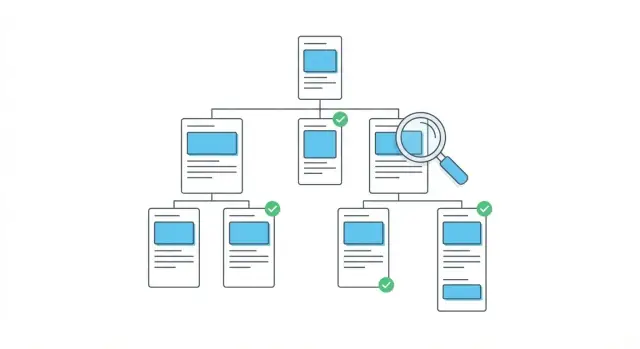
What duplication looks like on a real site
A sitewide content duplication audit often starts with a simple gut check: you click around your own site and everything sounds the same. The first paragraph repeats. The "who we are" block shows up everywhere. Multiple pages promise the same thing with only a few words swapped.
That repetition confuses people first. If three pages open with the same intro, visitors have to work harder to figure out what makes this page different. It can also confuse search engines. When many URLs look nearly identical, it’s harder to tell which one should rank, and smaller pages can end up competing with the page you actually want to win.
Not all reuse is bad. Templates are normal. Headers, footers, navigation, and legal text will repeat on purpose. The problem is repeated page content: the part that’s supposed to answer a specific question or solve a specific need. If the main section is mostly shared text, the page isn’t earning its place.
You can spot the most common symptoms without tools:
- Lots of pages that differ only by city, product name, or one paragraph
- "Why choose us" or "Our process" sections copied word-for-word across key pages
- Long intros and generic benefits, but very little page-specific detail
- Duplicate meta descriptions that read like a template
A realistic example: a company has separate pages for five services, but each page uses the same two intro paragraphs and the same FAQ. Only one short section changes. The goal is simple: every important page should offer a clear, unique reason to exist.
If you publish content at scale (for example, using an API-based generator like GENERATED on generated.app), this matters even more. A consistent structure is fine. Each page still needs its own job, angle, and proof.
Types of duplication you should care about
Start by naming the kind of repeat you’re seeing. Not all duplication is equal, and the fix depends on what type it is.
Exact, near, and partial duplicates
Exact duplicates are two (or more) pages with basically the same body copy, title, and headings. This can happen with copied landing pages, old staging pages that leaked, or print versions.
Near duplicates look different at a glance, but say the same thing with small swaps (city names, product names, a few reordered paragraphs). These often compete with each other in search.
Partial duplicates repeat only a section across many pages, like the first 200 words, a templated "how it works" block, or an FAQ.
Near duplicates and partial duplicates are usually the biggest hidden problem because they can spread across dozens of URLs without anyone noticing.
Boilerplate blocks that quietly multiply
Repeated intros, FAQs, disclaimers, and CTA blocks often start as helpful templates and turn into habits. A short legal disclaimer is fine. A 400-word intro that appears on every page is a signal that the unique part of each page is too thin.
Also watch for duplication created by site structure, not writers: category pages that mirror tag pages, location pages built from the same template with only the city changed, filtered pages that produce new URLs but show the same products or text, and template-filled metadata that creates duplicate meta descriptions.
Some repetition is normal and acceptable: navigation labels, cookie notices, legal footers, and short accessibility statements. The goal isn’t "zero repeats." It’s making sure the main content is meaningfully different where it matters.
Where repeated intros and boilerplate usually hide
Most duplication isn’t one bad page. It’s a small chunk that gets copied a hundred times because it feels safe and fast.
The usual hiding places are predictable: product or feature pages that share the same opening paragraph, benefits block, and FAQ; location pages where only the place name changes; help center articles that reuse the same "before you start" and "contact us" sections; category pages with repeated blurbs across similar categories; and landing pages built from the same blocks, just reordered.
Boilerplate becomes a problem at scale because people (and crawlers) stop learning anything new. If a visitor reads the same intro three times, they stop trusting it. If search engines see many pages that look almost the same, rankings can weaken across the cluster because it’s unclear which page deserves attention.
Look beyond paragraphs. Repetition also shows up in structure: duplicated H2 headings ("Why choose us", "How it works"), identical comparison tables, and copied internal modules like testimonials, guarantees, or "as seen in" callouts. Even if a few words differ, the page can still feel like a clone.
Metadata is another fast signal. If many pages share the same title tag, or you spot duplicate meta descriptions, it’s rarely an accident. It usually means a template is filling them in or the team is pasting the same wording.
Prep work: collect URLs and group similar pages
Before you judge what’s "duplicate," you need a clean inventory. Audits go sideways when people rely on memory or only check the pages they happen to visit.
Start by collecting a full URL list from what you trust most: a CMS export, your sitemap, or a crawl. Don’t aim for perfection on day one. Aim for a list broad enough to catch forgotten corners like old campaign pages, tag archives, and thin helper pages.
Next, group pages by what they’re trying to do, not just where they sit in the menu. Similar intent tends to share the same intros, FAQs, and callouts.
A simple grouping that works for most sites:
- Product or service pages
- Category or collection pages
- Location pages
- Blog or news posts
- Support or glossary pages
Pick a batch size you can finish. For many teams, 25 to 50 URLs per batch is manageable. Use a clear naming convention for groups so you can talk about them without confusion.
Decide what you’ll record in a spreadsheet (or any tracker) before you start. Keep it simple: the URL, the page group, what it’s trying to rank for (in plain words), repeated blocks you notice (intro, FAQ, testimonials, footer CTA), what makes it unique today, and the first-pass fix (rewrite, consolidate, retire).
A step-by-step sitewide audit workflow
A sitewide content duplication audit works best when you treat it like sorting laundry: group similar things first, then deal with repeats inside each pile. You don’t need to be technical to get clean results.
Workflow you can run in one afternoon
-
Capture the basics. Export a table of URLs with page titles, H1s, word count, and meta descriptions. If you can’t crawl, start from your sitemap and fill these fields for top sections.
-
Cluster related pages. Group by URL patterns (like /blog/, /category/, /locations/) and by similar titles. This is where near duplicate pages usually show up.
-
Compare intros and repeated blocks inside each cluster. Open 5 to 10 pages from the same group. Scan the first 150 to 300 words, then look for reused FAQs, the same "About us" paragraph, and repeated CTAs.
-
Assign an action to every page. Mark each URL as keep, rewrite, merge, redirect, or noindex. The goal is one best page per intent.
-
Prioritize by impact. Fix duplication where it matters first: pages with meaningful traffic, strong conversions, or high business value.
To keep decisions consistent, add one short note per URL: what it’s trying to rank for, and what makes it different.
If you use a platform like GENERATED (generated.app), performance tracking can help you pick the pages that deserve to be the "winners" in each cluster and the ones that should be merged or rewritten.
A simple priority rule
Start with pages that are already getting search visits, used in ads or sales flows, targeting the same keyword as another page, thin and mostly boilerplate, or meant to be long-term core content (products, services, core guides).
How to confirm near duplicates without getting technical
You don’t need fancy tools to spot near duplicates. A fast manual scan can get you most of the way there, especially when pages were created from templates or copied and lightly edited.
The 2-minute side-by-side check
Open two suspect pages in separate tabs and compare what readers see first. Page titles, H1s, and the first 100 to 200 words quickly tell you whether the pages are meaningfully different or just reworded.
Scan in this order:
- Page title and H1: do they make the same promise in different words?
- First 100 to 200 words: does the intro explain the same problem and use the same examples?
- Subheadings: do they match in the same order?
- Calls to action: do they push the same next step?
- Ending: is it basically the same takeaway?
If three or more of these line up, you’re probably looking at a near-duplicate.
Check the hidden repeats that make pages feel identical
Many pages look different at the top, then repeat the same chunks below. Scroll and look for copy-pasted blocks like FAQs, shipping and returns info, trust badge text, warranty language, "about us" blurbs, or identical comparison tables.
Then ask one intent question: are both pages trying to rank for the same search? If yes, the overlap matters a lot more than if one page is a category and the other is a guide.
Also do a quick media check. Near duplicates often reuse the same hero image, captions, or identical alt text across multiple pages. That’s a strong sign the page was cloned rather than planned.
Choosing the right fix: rewrite, consolidate, or retire
Once you’ve flagged repeats, the win is choosing the simplest fix that removes confusion for both readers and search engines. Start with one question: if someone lands here, is there a clear reason this page exists instead of another one?
Rewrite when the topic is valid but the page doesn’t feel specific
Rewrite is best when the page topic makes sense, but the first 200 to 400 words feel copy-pasted. Match the opening to the promise of the page and add specifics that don’t belong anywhere else: a concrete audience, scenario, constraint, or step that only applies here.
If three pages start with the same "Choosing the right tool is important" intro, give each a focused lead ("If you need X for a small team" vs "If you’re migrating from Y") so the page earns its own identity.
Consolidate (and redirect) when pages overlap too much
Consolidate when two or more pages answer the same intent and the differences are tiny. Combine the best parts into one stronger page, then redirect the weaker pages to the new home. This works especially well when one page already has most of the traffic or stronger links.
A practical decision rule:
- Differentiate when each page can serve a distinct angle (audience, use case, scope, or journey stage).
- Consolidate when pages compete for the same query and repeat the same sections.
- Rewrite when only certain blocks are duplicated (intro, FAQs, benefits).
- Use canonical or noindex when you must keep variants (print versions, filters, regional copies) but don’t want them competing.
- Retire and redirect when a page adds no unique value and there’s a clear replacement.
If you publish at scale (including API-based workflows like GENERATED on generated.app), set one guardrail that prevents the problem from coming back: every new page must declare its unique angle in one sentence before writing starts.
Common traps that keep duplication coming back
The biggest trap is thinking you fixed duplication because the page looks different at a glance. If you keep the same intro and only swap a few keywords (city names, product types, service terms), readers and search engines still see the same page with a new label.
Copy-pasted FAQs are another repeat offender. FAQ blocks feel useful, so they get dropped onto dozens of pages. But the questions and answers often ignore the page’s real intent. A pricing page, a location page, and a how-to page shouldn’t all answer "How long does shipping take?" in the exact same words.
Boilerplate is fine when it stays in its lane. It becomes a problem when it replaces what should be unique. Watch for location or category pages with no local details, examples, or proof; service pages that differ only in swapped nouns; product variants that reuse the same benefits and use cases paragraphs; and article series that share the same opening story and the same closing next steps.
Another fix that backfires: updating body copy but forgetting titles and snippet text. Duplicate meta descriptions (and near-identical title tags) can keep pages competing even after the on-page text improves.
Also be careful changing URLs without a clear redirect plan. If old and new versions stay accessible, you can end up with two URLs carrying the same content.
If you publish content through an API, build light guardrails into templates: require a unique intro field, limit reused FAQ blocks, and flag duplicates before they go live.
Quick checklist before you publish fixes
Before you push changes live, make sure each page has a clear job. Audits often fail at the last step: the body text gets updated, but repeated intros, headings, and metadata still look the same.
A quick pre-publish check:
- Choose one main page for the topic. Everything else supports it or gets merged/removed.
- Rewrite the opening so it’s unmistakably this page: who it’s for, what it solves, and what makes it different.
- Scan H1 and H2 headings. If the same headings could sit on three other pages, they’re too generic.
- Cut down boilerplate blocks that repeat everywhere. Keep only what a visitor truly needs on this page.
- Make the title and meta description specific. Shared titles and duplicate meta descriptions make pages look interchangeable.
After that, sanity-check a small sample. Pick 5 to 10 pages you just fixed and compare the first screen (title, intro, headings, repeated modules). If you can still spot the same phrasing without scrolling, duplication likely remains.
Example scenario: cleaning up a set of near-duplicate pages
A local services company has 30 "Service in City" pages. They all start with the same three-paragraph intro, and the FAQ block is identical word for word. Only the city name changes. Rankings are flat, and some pages keep swapping positions.
During the audit, you cluster the 30 URLs by service (not by city). You quickly see that five cities drive most leads and have the strongest links, while the rest get little traffic.
Fix those five first because the payoff is fastest. Choose the pages with the best mix of impressions, clicks, and conversions. Within each service cluster, pick one page to become the strongest version, then mark the remaining low-value pages as "rewrite later" or "merge/retire."
For the rewrite, keep the structure but make the opening and FAQ genuinely specific. A simple pattern holds up: a unique hook (what people in that city struggle with), local details (neighborhoods, typical timelines, local rules where relevant), and specific proof (real numbers, a short quote, a concrete before/after result).
Then decide what stays separate. If two city pages serve the same area and have no unique intent, consolidate into one stronger page and retire the weaker one. If each city has different demand, pricing, or constraints, keep separate pages but make the main sections unique (intro, examples, FAQs).
Success after 2 to 6 weeks looks like fewer pages competing with each other, more stable rankings, and a higher click-through rate because titles and meta descriptions are no longer identical. You also want one winner URL per cluster gaining impressions, instead of traffic spread thin across many copies.
Next steps: keep duplication under control going forward
A one-time cleanup helps, but duplication creeps back in: new pages reuse the same intro, old templates get copied, and quick updates turn into copy-paste habits. The goal is prevention as part of normal publishing.
Set a light monthly routine. Pick one content cluster (all service pages for one city, or all glossary entries in one topic) and run a mini audit on that cluster only. Keeping the scope small makes it sustainable.
Give writers one rule that’s easy to follow: every page needs a unique intro plus one unique section that isn’t used anywhere else. That unique section can be practical, like a short FAQ tailored to that page, a "common mistakes" box, or a mini example.
If you publish a lot, tooling can help, as long as you keep guardrails. For example, GENERATED on generated.app supports content polishing and performance tracking, which can make it easier to spot which pages are competing and which CTAs are actually working. Even then, it’s worth reviewing the first paragraph and any standard sections so they don’t turn into your next boilerplate block.
After you push fixes, encourage recrawling where you can and watch indexing and rankings for the updated cluster for a few weeks. If a page drops, check whether something useful was removed during consolidation, not just whether the page is now "more unique."
Frequently asked questions
What counts as “bad” duplicate content on my site?
Focus on duplication in the main content: the intro, core explanation, use cases, FAQs, and proof. Repeated navigation, footers, and short legal text are normal; the problem is when the part meant to answer a specific need is mostly the same across many URLs.
How can I quickly spot near-duplicate pages without tools?
Start with clusters of similar pages and do a quick side-by-side check. If the title/H1, first 100–200 words, and several subheadings line up across pages, they’re probably near-duplicates even if some words were swapped.
What should I do when two pages target the same topic and feel identical?
Pick one “winner” page for that intent and make it the strongest version, then merge useful sections from the weaker pages into it. After that, redirect the pages you’re retiring so you don’t leave multiple URLs competing for the same topic.
When is a rewrite better than merging pages?
Rewrite the opening to match the page’s exact promise and audience, then add details that only belong on that page, like a specific scenario, constraints, steps, or proof. The goal is that a reader can tell in the first screen why this page exists.
Are “Service in City” pages always a bad idea?
City-swap pages usually fail when only the place name changes. Keep separate pages only if each city page can include real local differences like service area details, timelines, pricing drivers, rules, or examples; otherwise consolidate to a broader page that actually earns its space.
Do duplicate meta descriptions really matter if the page text is unique?
Duplicate titles and meta descriptions make pages look interchangeable and can keep them competing even after you improve the body copy. Make each title and meta description reflect the page’s unique angle, not a template with one word swapped.
When should I use canonical vs noindex for duplicate-like pages?
Use canonical when you must keep multiple versions available but want one primary page recognized. Use noindex when a page needs to exist for users but shouldn’t be indexed, like thin variants, filters, or duplicates you can’t remove yet.
How do I prioritize what to fix first in a sitewide audit?
Do it in batches you can finish, like 25–50 URLs, grouped by intent (services, locations, categories, support, blog). Fix the highest-impact clusters first: pages with traffic, conversions, or clear business value, and pages that are actively competing with each other.
Can I create duplication by accident when updating or changing URLs?
If you change URLs or merge pages, always implement redirects so old versions don’t stay accessible. Leaving both old and new pages live is a common way duplication returns, even after a successful rewrite.
How do I stop repeated intros and boilerplate from creeping back?
Set one simple publishing rule: every new page must declare its unique angle before writing starts, and it must have a unique intro plus at least one unique section. If you generate pages from templates or an API, require unique fields for the intro and limit reusable FAQ blocks so clones don’t ship by default.