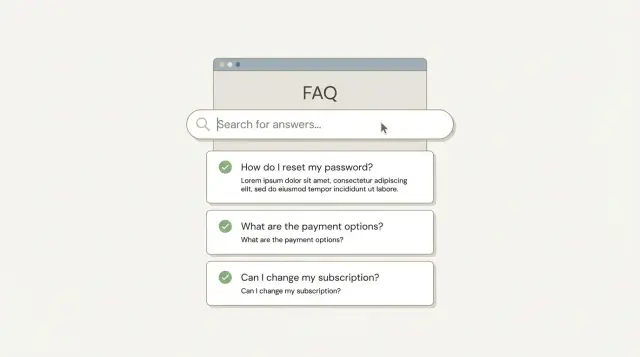
Why some FAQs feel spammy (and how to avoid that)
Helpful FAQs feel like a quick chat with a smart support person. Spammy FAQs feel like a billboard made of keywords.
The difference is intent. Are you answering real questions, or trying to squeeze extra search traffic out of the page?
An FAQ can hurt trust when it reads like it was written for Google first. People notice when every question repeats the same phrase, when answers dodge the point, or when the page is padded with dozens of tiny questions that add no value. That also hurts conversions. If the FAQ feels manipulative, visitors start wondering what else is.
FAQs do a few jobs at once. On the page, they help people scan and unblock hesitation. In search, they can show up as expanded snippets when search engines choose to display them. And inside your site, they reduce "Where do I click?" moments because objections get answered right where people pause.
If you want SEO-friendly FAQs without the spam vibe, aim for clarity and restraint:
- Use questions your customers actually ask.
- Keep each answer focused on one problem.
- Use plain language first; let keywords appear naturally.
- Delete questions that exist only to rank.
- Only add FAQ schema markup when the Q and A are visible on the page.
A simple test: read the FAQ out loud. If it sounds like a real person asking and answering, you're close. If it sounds like a search query generator, cut it down and rewrite it.
How to choose questions people actually ask
Good FAQs start with real conversations, not a keyword list. Before you write anything, collect questions from places where people use their own words: support tickets, live chat, sales calls, product reviews, and comments.
Next, look for repeat confusion on your key pages. If the same hesitation shows up again and again (shipping times, cancellations, how setup works, what's included), that's strong FAQ material. One practical way to spot this is to compare customer messages with page behavior: high exits plus lots of follow-up questions usually means the page needs clearer answers.
Keep the section calm and scannable by grouping questions into a few simple buckets, such as pricing, setup, troubleshooting, policies, and account issues. You don't need perfect categories, just a structure that helps someone find their question fast.
Match questions to the page they're on. A pricing page should handle pricing objections. A product page should answer product specifics. That's how SEO-friendly FAQs stay helpful instead of feeling like a random pile of search terms.
Decide what to leave out. Skip questions that are off-topic for the page, too broad to answer honestly ("Is this the best option?"), or written as bait ("Why is Brand X terrible?"). If a question needs a full guide to answer well, make it a separate article and keep the FAQ short and direct.
Write questions that sound natural
A good FAQ question should sound like something a real person would type or ask support. If it feels awkward out loud, it will feel awkward on the page.
Keep each question specific and plain:
- Good: "How do I reset my password?"
- Not great: "Password reset procedure and account credential recovery options"
Aim for one idea per question. When you cram two problems together, readers can't tell whether the answer applies to them, and you end up writing long, messy replies.
When deciding whether to combine similar questions or keep them separate, use one rule: combine only if the answer is truly identical. If the steps differ even a little, split them. For example, "How do I change my billing email?" and "How do I change my login email?" look similar, but often have different steps and different risks.
A few rewrites that keep the meaning but remove the "SEO" vibe:
- Natural: "Do you offer refunds?" Awkward: "Refund policy for SaaS subscription plans explained"
- Natural: "Can I cancel anytime?" Awkward: "Cancel subscription at any time cancellation terms"
- Natural: "Why was my payment declined?" Awkward: "Payment declined reasons and solutions for checkout errors"
- Natural: "How long does indexing take?" Awkward: "Indexing time for search engines and IndexNow integration"
- Natural: "Can I export my invoices?" Awkward: "Invoice export feature and billing documentation download"
Match your audience's words. If customers say "cancel," use "cancel," not "terminate." If they say "pricing," don't label the question "commercial terms." Small choices like that make the whole FAQ feel more trustworthy.
Write answers that help quickly
Put the direct answer in the first sentence. People scan FAQs for a decision, not a story. If they have to read three lines before they know yes/no or how much/how long, they'll bounce.
After the first sentence, add one short explanation that covers the why. Then, only if it prevents a likely follow-up, add one more detail.
Keep formatting simple. Short paragraphs work best, and a brief list is useful when an answer has steps or options.
Example:
For "Can I add FAQ schema markup myself?" start with: "Yes, if you can edit your page's code or use a tool that generates the JSON-LD for you." If you need a follow-up, keep it tight:
- Use the exact question and answer text shown on the page.
- Keep answers specific and factual.
- Only mark up FAQs that are visible to users.
- Update the markup when the FAQ text changes.
Avoid turning every answer into an ad. A quick mention of your product is fine when it solves that exact problem, but the FAQ should still stand on its own.
Also know when to stop. If an answer needs more than a few sentences to be accurate, the FAQ is doing a guide's job. Give the short answer, state the key caveat, and point to the right section on the same page (like "Pricing details" or "Setup steps").
SEO without keyword stuffing
If an FAQ reads like it was written for a search engine, people notice. You can still help SEO without repeating the same phrase in every line.
Pick one primary term for each FAQ topic (often a product name or a common problem), and use it lightly. Usually that means using the key phrase once in the question or once early in the answer, then moving on.
Use variations the way real people talk. Someone might search "refund policy," "get a refund," or "money back." You don't need to jam all versions into one answer. Choose the most natural wording and let the rest show up through normal writing.
Add context by being specific, not repetitive. Instead of repeating "best email marketing tool" three times, explain what "best" means in the moment: pricing, ease of use, templates, or support. Details help readers and often bring in related terms naturally.
Quick signs you're stuffing keywords
Edit if you see any of these:
- The same phrase appears in nearly every sentence.
- The question sounds unnatural when read out loud.
- You list keyword variations separated by commas.
- You added a location or audience that doesn't fit ("near me," "for 2026," etc.).
- The answer is longer but not clearer.
Fix it by deleting repeats first, then rewriting one sentence for clarity.
Keep the tone trustworthy and consistent
A trustworthy FAQ is calm, specific, and consistent with the page it's on.
Match the voice to the page. On a product page, keep answers short and practical (features, setup, support). On a blog post, you can be a little more conversational and add a quick example. Mixing styles makes the FAQ feel pasted in.
Be honest about limits and edge cases. If something depends on plan, region, workload, or approval, say so. This is where SEO-friendly FAQs often win trust: they reduce surprises instead of making big claims.
Avoid absolute promises like "always," "instant," or "guaranteed." If you do have timelines or rules, describe them carefully and leave room for exceptions.
Consistency matters, too. If you call it a "subscription" in one place and a "membership" in another, readers assume the details changed.
FAQ schema basics in plain English
FAQ schema markup is structured data you add to a page so search engines can understand that certain blocks are questions and answers. It doesn't boost rankings by itself, and it can't rescue weak content. Think of it as labels on a box, not better stuff inside the box.
It only makes sense when you already have real FAQs on the page, written for humans. If you're tempted to add it just to squeeze in extra keywords, skip it.
The key rule: the structured data must match what people can actually see on the page. If the markup contains a question or answer that isn't shown in the page text, or if the wording is noticeably different, you create a trust problem.
FAQ schema markup is different from HowTo schema. FAQ is for short Q and A items. HowTo is for step-by-step instructions with clear steps and materials. If your "answer" is really a process, it usually belongs in a HowTo section, not a FAQ.
Plan where the FAQ will live before you mark it up. Common options are a dedicated FAQ section on a product page, a help page, or a short set of questions near the end of a page. Wherever you place it, keep it easy to find and read.
Step-by-step: add FAQ schema responsibly
Finalize the on-page FAQ first. Write the questions and answers as visible page content, not as code-only extras. If you wouldn't show it to a visitor, don't mark it up.
Then keep the schema tightly aligned with the visible text. FAQ markup is not the place to add extra details, extra keywords, or a second version of your copy. If you edit the on-page text later, update the markup right away so they stay identical.
A workflow you can repeat:
- Lock the final FAQ wording on the page.
- Copy each Q and A exactly into your schema markup.
- Include only questions that are shown on that page.
- Leave out promotional or opinion-based Q and A ("Are you the best service?" or "Will this double my traffic?").
- Test the markup, then re-test after content changes.
One realistic failure case to watch for: someone updates visible text to change pricing, timing, or policies, but forgets to update the schema. If you publish FAQs through a CMS or an API-based generator like generated.app, build a simple habit: every FAQ update triggers a schema update and a fresh test before it goes live.
A realistic example: turning support questions into an FAQ
Imagine a small SaaS product page for GENERATED (generated.app). The team keeps answering the same emails: pricing confusion, API setup, and what the tool actually produces. That's ideal source material because it starts with real user language.
Here are seven support questions you might pull straight from tickets, plus the intent behind each:
| Question (as users ask it) | Intent (what they really want) |
|---|---|
| "Can I use this with my Next.js site?" | Compatibility and setup confidence |
| "Do you have an API? How do I get a key?" | Getting started fast |
| "What content types can you generate?" | Fit check before buying |
| "Can it translate content into other languages?" | Reduce manual work and reach new markets |
| "How do image sizes work for blog posts?" | Avoid ugly layouts and extra editing |
| "Will this help my pages get indexed faster?" | Faster visibility in search |
| "How do I track if CTAs are working?" | Proving ROI and measuring performance |
Now compare a spammy question with a helpful one.
Spammy:
"Do you offer the best SEO content generator API for SEO content generation?"
Helpful:
"Do you offer an API, and what can I do with it?"
Answer: "Yes. You can request blog posts, news-style articles, glossary entries, and media assets through the API, then publish them on your site or in your CMS. If you use a framework like Next.js, a library can render the content on your site so you don't have to build everything from scratch."
What to mark up vs leave unmarked
Not every Q and A needs FAQ schema markup. Mark up questions that have a clear, stable answer and help most visitors.
Good candidates: pricing basics, API access, supported content types, translations.
Usually avoid marking up: long troubleshooting threads, edge-case errors, anything that changes weekly, and anything that needs a full policy paragraph.
How to measure success
Look for fewer repeated tickets on the same topic, fewer "quick clarification" emails, and more clicks on key actions like "Request a demo" or "Start" buttons. A good FAQ improves expectations, not just page views.
Quick checklist before you publish
Before you hit publish, do a fast reality check.
Start with the page's main job. If the page is about pricing, your questions should reduce pricing confusion. If it's a setup guide, your questions should remove setup friction. If a question doesn't help the reader take the next step on this page, move it elsewhere.
Then do one clean scan:
- Does each question reflect what a real person would ask right now on this page?
- Does the first sentence of each answer give a complete reply without extra buildup?
- Read the questions out loud. Do any repeated phrases sound copied for SEO?
- If you use schema markup, does it match the visible Q and A word-for-word?
- If search engines disappeared tomorrow, would this FAQ still save the reader time?
A practical test: ask a teammate to scan the FAQ for 20 seconds and tell you what they learned. If they can't repeat the main point of at least two answers, the text is probably too vague or too long.
Common mistakes and easy fixes
FAQs go wrong in predictable ways, and most fixes are simple.
One mistake is copying questions from a competitor because they "look right." If your product, pricing, or rules are different, those questions attract the wrong visitors and create confusion. Pull questions from your own sources: support tickets, chat logs, return reasons, and sales calls. If a question doesn't show up there, it probably doesn't belong.
Another issue is answers that sound helpful but say nothing. If someone asks about shipping time, "We aim to deliver quickly" isn't an answer. Give a range, what affects it, and what to do if it's late.
If your FAQ feels off, these fixes cover most cases:
- Forced question: rewrite it the way a customer would say it.
- Vague answer: add one concrete detail (number, timeframe, requirement, next step).
- Repeated phrases: use the main term once, then switch to normal wording.
- Markup mismatch: only mark up visible Q and A that truly appear on the page.
- Text changed but schema didn't: update both together.
Example: your team updates "Do you support refunds?" to reflect a new 14-day policy, but the schema still says 30 days. That mismatch confuses users and creates trust issues.
If you publish FAQs through an API-driven workflow (like GENERATED), a safe habit is to generate schema from the final on-page text, not from an old draft.
Next steps: build and maintain FAQs that stay useful
Start small. Pick 5-10 questions that show up the most in support tickets, sales calls, chat logs, or on-page searches. Write answers for a real person trying to finish a task, not for a search engine.
A solid first pass:
- Choose the few questions that block sign-ups, purchases, or setup the most.
- Draft short answers (2-6 sentences), with one clear next action when needed.
- Read each Q and A out loud and delete anything that sounds like marketing copy.
- Add FAQ schema markup only for questions you actually show on the page.
If you need help moving faster, GENERATED at generated.app can help draft FAQs, translate them, and polish tone so it stays consistent across pages. Use it as a starting point, then review facts, align the wording with your product, and remove anything that feels pushy.
After publishing, keep a lightweight review routine. FAQs go stale faster than most teams expect, especially after pricing, onboarding, or policy changes. Quarterly reviews work for many sites, and it's also worth reviewing right after big updates.
Over time, remove weak questions, merge duplicates, and keep the best ones crisp. A shorter FAQ that stays accurate beats a long one that feels spammy.
Frequently asked questions
Where do I get FAQ questions that real customers actually ask?
Start with the exact questions you see in support tickets, live chat, sales calls, reviews, and comments. If people don’t ask it in real life, it usually doesn’t belong in the FAQ, even if it looks like a good keyword.
How many FAQ questions should I add to a page without making it feel spammy?
Pick questions that unblock a decision or next step on that specific page. A simple default is 5–10 strong questions; add more only if each one removes a common hesitation without repeating earlier answers.
How do I write FAQ questions that sound natural instead of “SEO-ish”?
Make the question sound like something a person would say out loud, then answer it directly in the first sentence. If you feel tempted to cram extra keywords into the question, rewrite it in plain language and keep the detail in the answer instead.
What’s the best structure for an FAQ answer so people get help fast?
Give the clear yes/no or the key fact immediately, then add one short sentence of context. If you need multiple steps or lots of exceptions to be accurate, the FAQ is the wrong format and you should move the full explanation into a separate section or article.
How do I make FAQs SEO-friendly without keyword stuffing?
Use the main term once in the question or early in the answer, then write normally. If you notice repeated phrases, comma-separated keyword variations, or awkward wording when read out loud, cut the repeats and rewrite for clarity.
Should I combine similar FAQ questions or keep them separate?
Combine only when the answer is truly identical. If the steps, rules, or risks differ even a little, split them so each answer stays short and specific.
When should I add FAQ schema markup, and when should I skip it?
Add FAQ schema only when the questions and answers are visible on the page and match word-for-word. It helps search engines understand the content, but it won’t fix weak FAQs or guarantee expanded results.
What’s the fastest way to accidentally break FAQ schema trust?
When the markup includes text that isn’t shown on the page, or when the wording drifts after someone edits the visible FAQ. The safest habit is to update schema every time you update the on-page FAQ, so they stay identical.
How do I keep the FAQ tone trustworthy and consistent?
Match the tone to the page and avoid sounding like an ad in every answer. Being specific about limits, timelines, or plan differences builds trust faster than big claims, even if it makes the answer slightly less “salesy.”
How can I tell if my FAQ is actually helping conversions and support load?
Look for fewer repeat questions in support, fewer “quick clarification” messages, and smoother page behavior such as fewer exits near key decision points. The best signal is that people move forward with fewer pauses, not just that the FAQ gets views.