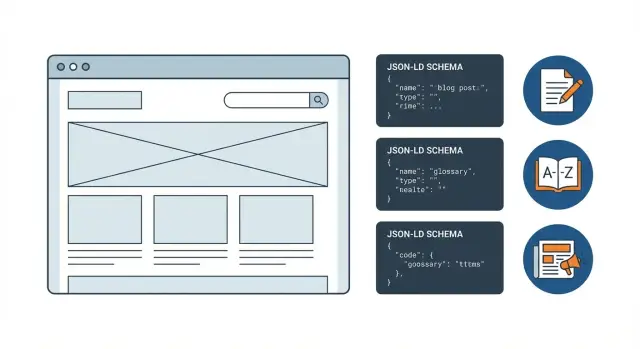
What schema markup changes in search results
Schema markup is a small block of structured data you add to a page so search engines can read key facts in a clear, consistent format. Think of it like a label on a box: the content is still the content, but the label makes it easier to sort and display.
When search engines understand your page better, they may show it as a rich result instead of a standard blue link. A rich result can include extra details like a headline, publish date, author, breadcrumbs, or a short preview. This doesn’t happen for every page, and it’s always up to the search engine.
It helps to be clear about what schema can and can’t do. Structured data improves clarity and eligibility for certain search features, but it doesn’t raise rankings by itself. If a page is thin, outdated, or hard to crawl, schema won’t fix that. And it can’t force a rich result to appear.
Across most sites, a few patterns matter more than everything else:
- Blog posts: clear page type, author, publish and update dates, and breadcrumbs.
- News pages: strong publishing signals (headline, dates, publisher) and consistent updates.
- Glossaries: definition-first structure (term and definition) and internal consistency.
A simple example: you publish a glossary definition and a blog post that references it. With the right markup, a search engine can more confidently treat one page as the definition and the other as a guide, rather than two competing “articles.”
If you publish a lot of pages (especially from templates or an API), schema becomes even more valuable because it keeps your output consistent as you add blogs, news, and glossary entries over time.
Schema types for blog posts
For most blogs, the best starting point is BlogPosting, which is a more specific version of Article.
- Use BlogPosting when the page is clearly a blog entry (guide, recap, opinion, update).
- Use Article when the content is broader editorial content, or when your CMS already outputs Article and you want to keep types consistent across the site.
The biggest wins usually come from getting the basics right on every post. Search engines care more about accurate, stable signals than a long list of optional properties.
Fields that matter most
Make these accurate on every post:
- headline: match your visible page title (don’t add extra keywords)
- author: a real Person or Organization, with a stable name
- datePublished: the first publish date, not “today”
- image: a representative image that actually appears on the page
- mainEntityOfPage: the canonical URL of the post
If you refresh an older guide, keep datePublished as the original date and set dateModified to the update date. Don’t change datePublished just to look fresh, and don’t update dateModified unless something truly changed.
Optional fields (use sparingly)
Optional fields can help, but only if they’re accurate and easy to maintain. keywords can work if you already display tags or categories. wordCount is fine for mostly static long-form pages, but skip it if the content changes a lot after publish. speakable only makes sense when you maintain a short, clean summary designed to be read aloud.
If your pipeline generates JSON-LD automatically (for example, through a CMS template or an API-driven renderer), aim for consistency and correctness before adding extra fields.
Schema types for news pages
News pages are judged heavily on freshness and clarity. Search engines want to know what happened, when it was published, and who published it. That’s why news markup tends to be less forgiving.
Use NewsArticle when the page reports on a timely event or development that will get outdated (even if it stays in your archive). Use Article for evergreen reporting, opinion pieces, and long reads that aren’t tied to a specific moment.
A practical rule:
- NewsArticle: breaking news, daily updates, press announcements, coverage with a clear publication moment
- Article: explainers, editorials, backgrounders that you update occasionally
Dates matter more for news than almost any other content type. Include both datePublished and dateModified and make sure they match what a reader sees on the page. If you update a story, update dateModified. If you “republish” an older piece as new, make sure the visible dates and the structured data tell the same story.
For many news pages, a small set of fields carries most of the value: headline, description, image (a real, crawlable image), author, publisher (as an Organization), mainEntityOfPage, datePublished, and dateModified.
If you have a paywall or subscription, mark it clearly with isAccessibleForFree and paywalled content details. Don’t claim content is free if it isn’t.
For republished or syndicated stories, avoid looking like a duplicate source. Keep one canonical URL per story, keep structured data consistent on that canonical version, and avoid changing headlines across copies. If the same story exists in multiple places, make it obvious which page is primary.
Schema types for glossaries and definitions
Glossary pages can earn clearer snippets when search engines understand that you’re defining terms, not publishing regular articles. Even if your main focus is schema markup for blogs, definition markup helps search engines classify glossary content faster.
Picking the right type
Use DefinedTerm when a page explains one term. Use DefinedTermSet when a page is a collection of terms, like an A-Z glossary or a category page with many entries. Use FAQPage only when the page is truly a list of questions with answers, not a single definition.
A simple rule: if the page goal is “define this,” choose DefinedTerm. If the goal is “browse many definitions,” choose DefinedTermSet.
Single term page vs category page
For a single term page, keep the markup focused on one term and its definition, plus where it belongs.
{
  "@context": "https://schema.org",
  "@type": "DefinedTerm",
  "name": "Canonical tag",
  "alternateName": ["rel=canonical", "canonical URL"],
  "description": "A canonical tag tells search engines which URL is the preferred version of a page.",
  "inDefinedTermSet": {
    "@type": "DefinedTermSet",
    "name": "SEO Glossary"
  }
}
For a category page, use DefinedTermSet. Add an ItemList of the term pages only if that list is visible to users on the page.
When you have synonyms, use alternateName for real variations, acronyms, and spelling differences. Keep it short and honest; don’t stuff keywords.
Keep the definition text aligned with what users can read. If the JSON-LD description says one thing but the on-page definition says another, rich results become less likely.
Supporting schema that helps across content types
Some schema types help almost every page, whether it’s a blog post, a glossary entry, or a news update.
BreadcrumbList is one of the simplest wins. It shows where a page sits in your site using the same trail users see (Home > Blog > Topic > Post). This can clean up how your result looks, and it reduces confusion when similar pages exist in different sections.
Organization and WebSite schema provide clear brand signals. Organization covers your name, logo, and contact basics. WebSite can describe the site and, optionally, an internal search action. Only include search markup if users can actually search your site.
Images deserve attention too. If pages rely on hero or featured images, adding ImageObject (or fully describing the image in your main schema) helps search engines understand what the image is, where it lives, and key properties.
Author markup often causes avoidable inconsistency. Pick one approach and stick to it: use Person when a real individual writes and is credited on the page, and use Organization when content is produced under a brand byline. Avoid swapping between Person and Organization for the same author name.
Use sameAs only for official profiles you control. If you’re unsure, skip it. Outdated or incorrect profiles can weaken trust.
Step by step: how to add JSON-LD without breaking pages
JSON-LD is often the safest way to add structured data because it lives in a single <script type="application/ld+json"> block and doesn’t change what users see. Put it in the page HTML (commonly in the <head> or near the end of <body>), and make sure it renders on the final page, not only in a preview.
Start from the visible content, then map it to schema fields. If the page shows a headline, author name, publish date, featured image, and a short description, your JSON-LD should match those exact values. Mismatches are a common reason schema markup for blogs fails to earn rich results.
Build a repeatable template per content type (blog post, news item, glossary term). The safest setup is when the template pulls from the same source as the page content, so updates stay in sync.
A rollout flow that keeps risk low:
- Add JSON-LD to one page type first.
- Keep entity IDs stable using
@id. - Render JSON-LD from real page data, not placeholders.
- QA in a real browser and confirm the script is present in the page source.
- Expand gradually.
Here’s a small pattern for stable IDs (notice the URL-based @id):
{
  "@context": "https://schema.org",
  "@type": "BlogPosting",
  "@id": "https://example.com/blog/my-post#blogposting",
  "headline": "My Post Title",
  "datePublished": "2026-01-16",
  "mainEntityOfPage": "https://example.com/blog/my-post"
}
If your site is built with a framework like Next.js, generate this block at render time from your CMS or content API.
How to validate schema markup correctly
Validation has two parts. First, make sure your JSON-LD is valid and matches schema rules. Then, check whether Google considers it eligible for rich results. Passing syntax checks doesn’t guarantee you’ll get an enhanced result.
Start by copying the exact rendered JSON-LD from the live page (not a template file) and validating it for general schema issues. The Schema Markup Validator is useful for catching wrong property names, missing required fields, and type mismatches.
Then test rich result eligibility with Google’s Rich Results Test. This focuses on the features Google actually shows and highlights missing fields that block eligibility even when the markup is technically valid. For blog content, small gaps like a missing image or author are common reasons results aren’t enhanced.
Treat findings differently:
- Errors: the markup is invalid or incomplete for the tested feature. Fix these first.
- Warnings: recommended but not required. Fix them when they improve clarity, but don’t break templates chasing optional fields.
- Detected items with no eligibility: sometimes fine, because not every schema type has a rich result.
If you update a shared template and Rich Results Test starts flagging missing datePublished on some pages, it often points to a data problem (an empty field in your CMS), not a schema problem.
Re-test after every template change, even if it seems minor. If you generate content through an API, validate one newly published page from each content type before rolling changes out everywhere.
Common mistakes that block rich results
Rich results often fail for simple reasons: search engines can read your structured data, but they don’t trust it.
The biggest rule is to match what users see. If your JSON-LD claims an author name, a headline, or a publish date, those details should be visible on the page. Don’t hide key details in markup only, and don’t use different wording.
Missing required fields is another frequent blocker. For Article-like pages, headline, image, and publish or update dates are common requirements. If your image is too small, missing, or not accessible, the page may stay out of rich results even if everything else is correct.
Using the wrong schema type can also hurt. Adding FAQPage to a page that isn’t actually a Q-and-A section can get the markup ignored or flagged. Pick types that reflect the real page: BlogPosting for a blog post, NewsArticle for a news story, DefinedTerm for a definition.
A few issues come up repeatedly:
- Conflicting schema blocks that describe the same page differently (headline, dates, or URL)
- Duplicate properties that disagree (two different authors, two different images)
- Dates not in ISO format, or timezone shifts that make publishDate look later than modifiedDate
- Copying template markup and forgetting to update IDs, URLs, or names
Example: a team publishes a news post and the page shows “Updated Jan 16,” but the markup still contains last week’s date from a reused template. Even with correct NewsArticle schema, search engines may treat it as unreliable until the visible content and structured data match.
Quick pre-publish checklist
Before you hit publish, do a fast consistency check. Most rich result issues aren’t hard problems. They’re small mismatches between what the page shows and what the markup claims.
If you’re adding schema markup for blogs, start by deciding what the page is (BlogPosting, NewsArticle, or a definition page). Everything else should support that choice.
60-second checklist
- Pick one primary type that matches the page’s main purpose.
- Confirm required fields are present and truthful: headline, description, author, publish date, and main image.
- Check image basics: it exists, loads cleanly, is large enough for rich results, and has alt text that matches what’s shown.
- Make sure visible UI matches the JSON-LD (author name, published and modified dates, breadcrumb trail).
- Remove markup that could be seen as spam (fake reviews, FAQ blocks that aren’t on the page, inflated ratings).
If you publish a news update and later reuse the same template for a glossary entry, don’t leave NewsArticle fields behind. A definition page that still claims it is a NewsArticle often fails eligibility checks.
Example: rolling out schema for a blog, glossary, and news hub
Imagine a small site that publishes three things: weekly blog posts, a glossary of key terms, and a simple news hub for company updates. The goal is clearer search snippets and eligibility for rich results without changing the page design.
The schema choices differ by intent. Blog posts often fit BlogPosting (or Article). News updates fit NewsArticle only when they’re truly timely. Glossary entries should focus on DefinedTerm and DefinedTermSet (often paired with WebPage) so search engines understand “this page defines a term,” not “this is a story.”
Here’s a practical 2-week rollout that keeps risk low:
- Days 1-2: pick one representative page of each type and add JSON-LD.
- Days 3-5: validate, fix quick issues, and confirm schema matches what users see.
- Days 6-8: roll out templates site-wide so new pages get the right markup automatically.
- Days 9-10: add supporting pieces like
BreadcrumbListand anOrganization(publisher) profile. - Days 11-14: monitor indexing and search appearance, then adjust only if data is inaccurate.
After deployment, confirm two things: the markup is still present on the live page (not stripped by your renderer or consent tools), and search engines are crawling the updated pages and reporting structured data in their enhancement and rich result reports.
Success usually looks like more impressions for pages that already rank, new enhancement items appearing for eligible types, and a modest CTR lift from cleaner titles, dates, and breadcrumbs.
Next steps: keep schema accurate as you publish
Schema isn’t a one-time task. It breaks most often when a template changes, a field gets renamed, or a new content block is added and the JSON-LD isn’t updated to match.
Make structured data part of publishing. If you run a blog, news hub, and glossary, decide which fields are required for each content type, then treat those fields like you treat the title and the URL: they ship every time.
The simplest way to keep schema markup for blogs consistent is to tie it to the same source of truth you use to generate the page: title, author, publish date, images, category, and the main body. When content is created across different tools by different people, missing fields creep in (no author, wrong date format, empty image array), and rich results become less likely.
A lightweight routine that works for most teams:
- Add a pre-publish check that confirms required fields exist for that template.
- After any template change, revalidate a few recent pages from each content type.
- Watch for warnings that turn into errors over time (for example, missing width and height for images).
- Keep a shared schema field map so editors know what each field means.
- Do a monthly spot-check of search appearance and validation results.
If you publish at scale, automation helps. For example, GENERATED (generated.app) can generate blog, news, and glossary content via API and keep structured data fields consistent across templates, including when you translate or refresh content.
Example: if you introduce a new “last updated” badge, also update your JSON-LD to include dateModified, then validate a sample blog post, a NewsArticle page, and a glossary term page before the change goes live.
Frequently asked questions
Does schema markup improve rankings, or just change how results look?
Schema markup is structured data that helps search engines read key facts on your page in a consistent way. It can make your page eligible for rich results (like showing dates, breadcrumbs, or extra details), but it won’t boost rankings on its own.
Should my blog use BlogPosting or Article schema?
Use BlogPosting when the page is clearly a blog entry like a guide, recap, opinion, or update. Use Article when your content is broader editorial content, or when you want one consistent type across different sections and your system already outputs Article.
What are the most important schema fields for a blog post?
Start with the fields that must be accurate and stable: headline, author, datePublished, image, and mainEntityOfPage. If those match what users see on the page, you’ve done most of the work that matters for eligibility and trust.
If I update an old post, should I change datePublished?
Keep datePublished as the original publish date and only update dateModified when you make a real change to the content. Changing datePublished to look fresh can backfire if it doesn’t match what the page shows and what users expect.
When should I use NewsArticle instead of Article?
Use NewsArticle only for timely stories with a clear publication moment, like announcements or breaking updates that get outdated. Use Article for evergreen explainers, editorials, and long reads that aren’t tied to a specific event time.
What schema should I use for glossary pages and definitions?
Use DefinedTerm when a page defines one term, and use DefinedTermSet when a page is a collection of terms (like an A–Z glossary page). Keep the structured definition aligned with the visible definition so it doesn’t look inconsistent.
Is BreadcrumbList schema worth adding?
BreadcrumbList helps search engines show a clean breadcrumb trail instead of a long URL, which can reduce confusion when similar pages exist in different sections. It’s also one of the easier schema types to keep accurate because it mirrors your visible navigation.
Where should I put JSON-LD so it doesn’t break my pages?
Add a single JSON-LD block in a script tag (type="application/ld+json") in the final rendered HTML, often in the head or near the end of the body. The safest approach is generating JSON-LD from the same data source that renders the visible title, dates, author, and image, so they stay in sync.
How do I validate schema markup the right way?
Validate in two steps: first, check that the JSON-LD is valid schema and uses correct properties and types; then check rich result eligibility separately. A page can have valid schema and still not be eligible for a rich result, so treat eligibility tests as a different filter.
Why does my schema validate but still not show rich results?
The most common blockers are mismatches between markup and what users can see, missing key fields like an accessible image or publish date, and conflicting schema blocks that disagree about URLs, headlines, or authors. Keep one clear primary type per page, keep IDs and canonical URLs consistent, and avoid adding types that don’t reflect the actual page content.