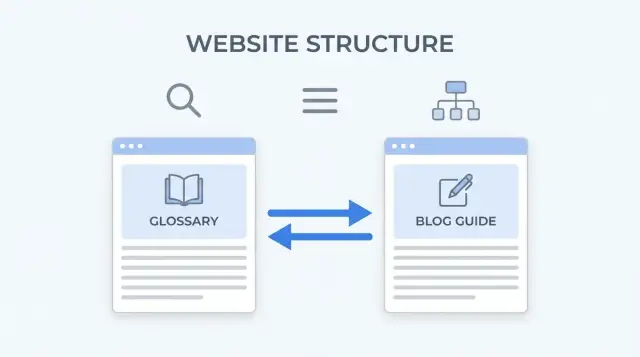
Why glossaries and guides often fail to support each other
A glossary page is built for quick definitions. It helps someone confirm a term fast, decode an acronym, and get the "what does this mean?" answer in seconds.
A guide does a different job. It's where you explain how something works, when to use it, and what to do next. Guides also tend to earn more links and keep readers around longer.
Many sites treat these two page types like separate projects. The glossary sits off to the side with thin pages that barely connect to anything, while guides mention terms without pointing to a clear definition. That gap is exactly why a glossary-to-blog crosslink strategy matters.
When glossaries are isolated, they usually underperform for a few predictable reasons: definitions stay too short to show real context, crawlers can't easily see how the pages relate to the rest of the site, and readers land on a definition with follow-up questions but no clear next step. On the other side, guides often use vague text like "learn more" instead of pointing to the exact term people are stuck on.
Internal linking fixes this in a straightforward way. It passes relevance between pages and helps crawlers understand your structure. When a guide consistently links key terms to their definitions, and the definition points back to the best how-to guide, you create a clear path for both readers and search.
What "good" looks like is simple: someone reading a guide sees a linked term (like "conversion rate"), taps it for a two-sentence definition, then returns to the guide or continues to a deeper explainer. Search engines see a small cluster: a main guide supported by closely related term pages, connected in a clean, predictable way.
Start with a simple topic map (terms and guides)
A glossary-to-blog crosslink strategy works best when you decide what each page is responsible for before you add links. Otherwise, you end up with scattered definitions, duplicated pages, and anchors that feel random.
Pick one main topic you want to be known for. Then list 5 to 20 related terms that real people search for and that naturally show up inside your guides. If a term never appears in your writing, it usually isn't worth adding yet.
Next, map each term to one to three guides where the term is used in context. The glossary page should answer "what does it mean?" The guide should answer "how do I use it?" For most concepts, the guide is the home page because it can cover the full process, examples, and decisions.
A practical way to build your first topic map:
- Choose one core guide you want to rank (your hub).
- Pick 5 to 20 glossary terms that support that guide.
- For each term, note one to three guides where it naturally fits.
- Pick one canonical term name and merge duplicates.
Example: if you publish a guide on "internal linking for beginners," your glossary might include "anchor text," "topic cluster," and "crawl depth." Each term gets one clean definition page, and each definition points back to the one or two guides that explain how to apply it.
The main mistake to avoid is creating multiple definitions for the same thing (like "topic clusters" vs "topic clustering") without a clear winner. Pick one canonical term. Treat variants as wording you can use inside guides, not separate glossary pages.
Which terms belong in the glossary (and which do not)
A glossary works best when it answers real confusion, not when it tries to rank for every possible keyword.
Start by collecting terms from places where people already tell you what they don't understand: customer emails, support tickets, sales calls, and your site search. If people keep typing the same phrase, it usually deserves a definition.
Then check your guides. The best glossary candidates show up repeatedly inside your articles, especially in headings, steps, and explanations. If a term appears once, a glossary page often adds little value. If it appears across multiple guides, it becomes a helpful hub and supports a glossary-to-blog crosslink strategy naturally.
Watch out for near-synonyms. Pick one primary term and make it the main page, then clarify the wording so readers recognize it. For example, you might choose "UTM parameters" as the main entry and mention "UTM tags" as a common name inside the definition. This avoids splitting signals across multiple almost-identical pages.
Skip terms that are too broad ("marketing"), too obvious for your audience ("email"), or too brand-specific unless users actually search for them. Also avoid terms you can't explain clearly in a few lines. If you need a full tutorial, it probably belongs as a guide first, with a short glossary entry that points readers to the deeper explanation.
A simple quality bar helps keep glossary pages useful. Each entry should include a plain-language definition (one to three sentences), a quick example in context, a short related-terms line (only if it truly helps navigation), a note on common confusion, and a clear match to at least one guide where the term is used.
A linking model that works: guide to term and term to guide
A good glossary-to-blog crosslink strategy is simple and repeatable: when a term appears in a guide, link it to its definition. Then, from the definition page, send readers to the best guide that teaches the term in context.
For guides, use one rule: link the first useful mention of a glossary term on the page, then write naturally. This keeps the page readable and avoids a wall of identical links.
For glossary pages, add a small "Learn more" area that points to one primary guide (and optionally one secondary guide) where the term is explained with examples. Pick the guide that answers "what should I do with this?" not just the one that happens to mention the term.
A clean model that scales:
- Guide page: first mention of the term links to the glossary definition.
- Glossary page: one link back to the best beginner-friendly guide.
- Optional: one extra link to a deeper, more advanced guide.
- Keep it readable: rarely more than one or two glossary links per paragraph.
- Update over time: if a new guide becomes the best match, swap the glossary page link.
Templates make this easier across hundreds of pages. In a guide template, you can standardize a short "New to this term?" callout near the first section where the term matters. In a glossary template, keep a consistent structure: a plain-language definition, a short "Why it matters" line, and a "Best next read" pointer to the guide.
Example: a guide on "Email deliverability" links the first time it uses "SPF" and "DKIM." The SPF glossary page links back to that deliverability guide (not a random news post), because that's where readers learn how SPF affects real outcomes.
Anchor text rules that do not look spammy
Anchor text should read like something a human would naturally say in that sentence. For a glossary-to-blog crosslink strategy, the safest default is simple: use the term itself.
If your glossary entry is "Customer Lifetime Value," anchors like "customer lifetime value" or "lifetime value" feel normal. Anchors like "best CLV tool" or "ultimate customer lifetime value guide" feel pushy and often break the flow.
Exact match vs shorter variants is mostly about readability. Use the full term when you introduce the concept, or when the reader might not recognize the short form yet. Use a shorter variant when the sentence would sound awkward otherwise. For example, "We track lifetime value by cohort" reads better than repeating "customer lifetime value" every time.
Don't link every mention of the term. One link near the first useful mention is usually enough. A page where the same phrase is linked six times looks automated and distracts readers.
A few consistency rules keep anchors clean:
- Pick a preferred capitalization for each term and stick to it.
- Use plurals when the sentence is plural ("conversion rates").
- If you use acronyms, introduce the full term once, then use the acronym later.
- Keep anchors short (two to five words) unless the full term is longer.
A quick gut check: if you read the paragraph aloud and the anchor sounds like an ad, rewrite it.
On-page placements that make the links useful
Good crosslinks work best when they match the reader's next question. If someone lands on a definition, they often want an example or a how-to. If someone lands on a guide, they often need quick clarity on unfamiliar terms.
On glossary definition pages
Add a small "Used in" block near the end of each definition. Keep it tight: pick one to three guides where the term is central (not just mentioned once). This turns the definition into a starting point, not a dead end.
Place the "Used in" block after the definition text, not before. People came for the meaning first. Then they can choose what to read next.
If you use category labels for terms (for example, "Email marketing" or "Technical SEO"), show the label near the title. A simple breadcrumb-style line can also help readers understand where they are and what else exists in that group.
On blog guide pages
A short "Key terms" section near the top can help, but only if it's curated. Link the few terms that matter for understanding the guide. If you list too many, readers ignore it.
A layout that usually works is a small "Key terms" box (three to five terms used early in the guide), plus inline links the first time a term appears in the main text.
Related term links (use sparingly)
Linking between definitions can be useful, but treat it like footnotes, not a web. Add one or two related terms only when the relationship is real (for example, "canonical tag" and "duplicate content"). Too many crosslinks make every page feel noisy.
Step-by-step: build and roll out the crosslinks
Start by picking a small set of priority terms that show up often in your guides and that people actually search for. Each priority term should have a clear home guide it supports (the guide where a reader would most want to learn more than the definition).
Make sure every term points to one canonical definition page. If you already have duplicates, merge them and keep only one page as the source of truth.
A rollout that stays manageable:
- Create a simple mapping sheet: priority term, canonical definition page, and the main guide it supports.
- Update each guide so the first natural mention of a priority term points to its definition.
- On each definition page, add one to three "Read next" guide references that match intent (beginner guide, how-to, comparison).
- Do a readability pass. If a paragraph looks like blue confetti, remove extra links and keep only the most helpful ones.
- Set a rule for new content (for example: always link the first mention of priority terms) so the pattern stays consistent.
Publish in batches instead of changing everything at once. For example, update five to ten guides and 20 to 30 glossary pages, then wait long enough to see whether clicks and rankings move. Batches make it easier to spot what helped and what was just noise.
Example scenario: a simple glossary and three guides working together
Imagine a small site about home coffee brewing. You publish four glossary pages: burr grinder, bloom, extraction, and ratio. Then you publish three guides: how to dial in espresso, beginner pour-over, and fixing sour coffee.
What the reader experiences
A reader lands on "Beginner pour-over" from search. Early in the guide, the first time you mention bloom, extraction, and ratio, each term links to its glossary definition. The reader can tap a term, get a quick, plain-language answer, and jump back to the guide without losing the thread.
Later, the guide recommends using a burr grinder. That link helps a beginner understand why grind size changes taste, without turning the guide into a long sidebar.
On the glossary pages, each definition has a short "Where to use this" block that points to the most relevant guide:
- Bloom -> Beginner pour-over
- Extraction -> Fixing sour coffee
- Ratio -> Beginner pour-over
- Burr grinder -> How to dial in espresso
A reader who starts on "Fixing sour coffee" can quickly learn what extraction means, then follow "How to dial in espresso" if they realize the issue is grind size and dose, not just brew time.
What search crawlers see
Instead of seven separate pages with thin connections, crawlers see a tight cluster: guides link out to definitions when terms appear, and definitions link back to the best guide that matches intent. That repeated, consistent pattern makes it easier to understand what each page is for, and which pages are the main how-to hubs.
How to measure if the strategy is helping
A glossary-to-blog crosslink strategy should improve both search visibility and reader movement between pages. Measure both, otherwise you might only be creating extra links that people ignore.
Start with search performance for each page type. Compare definition pages and guides before and after you add crosslinks. Watch impressions (are you showing up more often?) and clicks (are you earning visits?). Segment by page type so you can see whether the lift is balanced.
Then look at on-site behavior. Crosslinks are working when readers use them and stay engaged. Time on page shouldn't drop after adding glossary links. People should still scroll to the main sections. You should also see more navigation from guides to definitions, and fewer glossary pages acting like dead ends.
Next, identify which pages become hubs. A hub consistently sends people to other useful pages. If one glossary term sends meaningful clicks to multiple guides, it's doing real work. If a term page gets impressions but almost no clicks and no outgoing link clicks, the definition may be too thin, the term may be wrong for your audience, or the links may be placed where people don't notice them.
Finally, watch for cannibalization: two pages competing for the same query. A warning sign is when a guide's impressions or clicks drop while a similar glossary term rises (or the other way around), and both pages appear for the same keyword set. Fix it by sharpening intent. Keep the glossary page focused on a definition and quick context, and keep the guide focused on how-to depth. If needed, adjust titles, headings, and anchor text so both readers and search engines can tell them apart.
A practical cadence is weekly review for the first month, then monthly once patterns stabilize.
Common mistakes and how to avoid them
The fastest way to break trust is to turn your glossary and guides into a web of random links. A good glossary-to-blog crosslink strategy feels helpful, not pushy.
One common mistake is linking every term everywhere. It sounds thorough, but it creates noise and trains readers to ignore your links. Be selective: link only when the term matters to understanding the sentence. If a term appears 10 times, link the first useful mention and leave the rest plain.
Another issue is publishing thin definitions just to create more pages. A glossary page that says "X is a thing" doesn't earn clicks, and it doesn't help your guides rank either. Treat each definition as a mini answer: what it is, why it matters, and one clear example. If you can't do that yet, don't publish the term page.
Many glossaries also waste their best internal links by pointing every definition back to the homepage. Each term should point to the most relevant guide, not the most important page.
Naming inconsistencies also create problems. If you alternate between "email automation" and "automated email" as separate terms, you split relevance and confuse search engines. Pick one primary term name and stick to it across headings, glossary titles, and guide wording.
Finally, teams often forget older guides. New posts get term links, but the pages that already have traffic never benefit. Build a routine: add crosslink updates to your content refresh checklist. When you publish a new term, update two or three existing guides that mention it. When you publish a new guide, add a handful of relevant term links inside it.
Quick checklist before you publish
Run a quick pass before publishing. It catches the small issues that make crosslinking feel messy to readers (and less useful to search engines).
- One term, one home: each glossary term has a single definition page.
- Definition pages point to the best one to three guides (curated, not a directory).
- Guides link to genuinely helpful terms, mostly at the first useful mention.
- Links live where questions happen: term links near the first time the concept appears, and "read next" areas on glossary pages only when they help someone take the next step.
- Intent is obvious from headings: glossary pages read like definitions, guides read like how-tos.
Also make sure new pages are discoverable in your normal publishing flow. They should be reachable from at least one hub page (like a glossary index or a guides category page), and included in your indexing setup.
Next steps: start small, standardize, then scale
Prove the approach on a small, focused set of pages first. Pick one topic cluster where you already have a few guides and enough terms to matter. You want results you can see, not a giant cleanup you never finish.
Start with a pilot of 10 to 20 pages (a mix of glossary entries and guides). Keep the changes consistent so you can tell what helped.
A simple rollout plan:
- Choose one cluster and list the key guides plus the top supporting terms.
- Add term links inside guides only where a reader would genuinely pause and ask "what does that mean?"
- Add "Recommended guides" on each glossary entry with one to three closely related guides.
- Use the same placements every time so pages feel familiar.
- Track what you changed and when, even if it's just a spreadsheet.
Once the pilot feels solid, standardize it. Write a short template for glossary pages and a short template for guides: where links go, how many, and what anchor style you use. That turns this from a one-off cleanup into an editorial habit.
If you publish at scale, it helps to use a system that can enforce templates and keep internal link rules consistent. For example, GENERATED (generated.app) is built to generate and polish content across page types, so the same glossary and guide structure can be applied repeatedly without drifting.
After you update a batch, submit the changed URLs through an indexing workflow such as IndexNow so search engines discover the new internal links sooner.
Frequently asked questions
What’s the difference between a glossary page and a guide?
A glossary page answers “what does this mean?” in one to three plain sentences, sometimes with a quick example. A guide answers “how do I use this?” with steps, decisions, and context. If you mix the jobs, definitions get bloated and guides get distracting, so it’s usually better to keep them separate and connect them with internal links.
Why do glossary pages underperform when they’re isolated?
Isolated glossaries often become dead ends: they don’t show context, they don’t point to the next helpful page, and search engines have fewer clues about how the term fits into your site. Adding clear links between terms and the best matching guides makes both page types easier to understand and more useful to readers.
How do I build a simple topic map for terms and guides?
Pick one core guide you want to rank, then list 5 to 20 terms that appear naturally in that guide and related guides. For each term, choose one “home” definition page and one primary guide that teaches it in context. This simple map prevents duplicated pages and random, inconsistent linking.
Which terms should I include in my glossary?
Start with terms people actually ask about in emails, tickets, calls, and site search, then confirm those terms show up repeatedly in your guides. Skip terms that are too broad, too obvious for your audience, or so complex they need a full tutorial. A good glossary term is something readers regularly stumble on and can be clarified quickly.
How do I avoid duplicate or competing glossary entries for the same term?
Use one canonical term page as the source of truth and treat variants as wording inside guides, not separate glossary entries. If you already have duplicates, merge them so one page wins and the others don’t compete. This keeps internal links consistent and avoids splitting relevance across near-identical pages.
What’s a linking model that works for guides and glossary pages?
In guides, link the first useful mention of a term to its glossary definition, then keep writing naturally. On the glossary page, add a small “read next” pointer to the best guide that explains what to do with the term. This two-way path helps readers get unstuck fast and helps search engines see a clear cluster.
What anchor text should I use so links don’t look spammy?
Use the term itself as the default anchor text because it reads naturally and matches what the reader expects. Shorten it when repeating the full phrase would sound awkward, and avoid anchors that feel like ads or stuffed keywords. One good link near the first useful mention is usually enough.
Where should I place crosslinks on glossary pages and guide pages?
Put the definition first, then place the “used in” or “read next” references near the end so readers get the meaning before options. On guides, link terms where confusion is likely, especially early in the article when you introduce key concepts. The goal is to match the reader’s next question, not to maximize link count.
How do I measure whether crosslinking is actually helping?
Track search metrics by page type (impressions and clicks for glossary entries versus guides), then check on-site behavior like clicks from guides to definitions and whether glossary pages stop acting like dead ends. If you see impressions but no engagement, your definition may be too thin or the linked guide may be the wrong next step. Also watch for query cannibalization between a term page and a guide and sharpen intent if they overlap.
How do I scale this strategy without it turning into a mess?
Start with a small pilot cluster so you can see what changed and why, then standardize templates for both page types. A system that generates and polishes content across glossaries and guides can help you enforce consistent structures and linking rules, and an indexing workflow can help updated pages get discovered faster. The key is consistency over time, not a one-time cleanup.