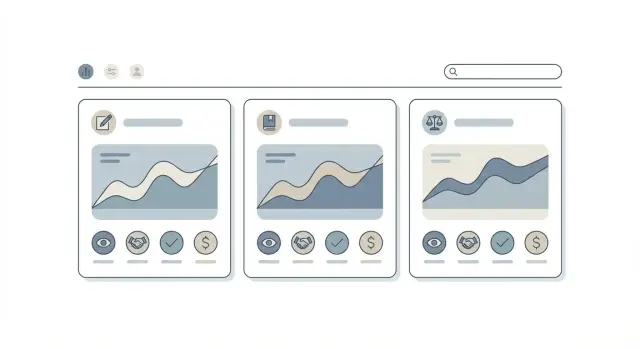
Why ROI looks different across page types
One ROI number for all content rewards the wrong work. A page that answers a quick definition and a page that compares two products are doing different jobs for different readers at different moments.
Content ROI by page type keeps you from cutting pages that quietly move people forward. It also stops you from overproducing pages that get traffic but rarely lead to buying.
Blogs usually meet people early. They help someone understand a problem, consider options, and start trusting you. They can convert, but direct conversions are often low because readers are still figuring things out. Strong performance often looks like engaged visits, returning users, email signups, and assisted conversions later.
Glossary pages are the "what does this mean?" stop. They catch specific searches and can bring steady traffic, but many visitors leave once they get the answer. A good glossary page shows high search visibility, fast time-to-answer, repeat entrances across many terms, and occasional clicks deeper into your site.
Comparison pages are closer to a decision. People land there when they’re shortlisting. These pages usually have lower traffic but higher conversion rates. Good performance looks like strong click-through to pricing, demos, trials, or "contact sales," plus a shorter time lag to conversion.
A simple expectation set:
- Blog: more assists than last-click wins
- Glossary: traffic plus internal navigation value
- Comparison: fewer visits, more conversions per visit
The rest of this post focuses on business impact you can track: conversions, assists, and meaningful micro actions. You won’t capture every influence (word-of-mouth, cross-device buying, offline conversations), but you can still make better decisions than "traffic good" or "traffic bad."
What each page type is really doing for the buyer
Not all pages convert in the same way. If you judge every page by last-click signups, you’ll undervalue pages that do the early, quiet work.
A simple way to think about content ROI by page type is to ask: what job is the buyer hiring this page to do right now?
The buyer’s job, by page type
Most of the time, these pages support different moments in the same journey:
- Blog posts support discovery. They help a reader name the problem, understand why it matters, and see a few paths forward.
- Glossary pages provide clarity and trust. People use them to confirm a definition quickly and reduce confusion so they can keep reading.
- Comparison pages support decisions. When someone is choosing between options, they want tradeoffs, criteria, and a clear way to shortlist vendors.
Mixed paths are the norm
Real users rarely land on one page and convert. A common chain looks like this: a blog post answers a question, a glossary page clears up a term, then a comparison page helps them decide.
Example: someone searches "how to reduce churn," reads a blog post, clicks a glossary definition for "net revenue retention," then later searches "tool A vs tool B" and lands on a comparison page before requesting a demo.
If you publish multiple page types, measure each one against the buyer job it serves, not one universal conversion expectation.
Define conversions, secondary conversions, and micro actions
A useful model starts with clear names for outcomes. If you mix "interest" and "revenue" in one bucket, content ROI by page type will look random even when the content is working.
Primary conversions are the 1-2 actions that directly create a customer or a qualified lead. For most sites, it’s one of these: purchase, demo request, or sign up.
Secondary conversions are strong signals, but they aren’t the finish line. They often happen earlier in the journey, like starting a free trial, creating an account, or subscribing to a newsletter.
Micro actions are small behaviors that show the page did its job when the reader isn’t ready to convert yet. Track them, but keep them honest. A CTA click can be meaningful; a quick bounce often isn’t.
Define success per page type before you open a dashboard:
- Blog posts: internal clicks to deeper pages, CTA clicks, newsletter signup
- Glossary pages: clicks to related guides, scrolling past the definition, moving into product or pricing
- Comparison pages: primary conversions more often (demo request, signup), plus intent-heavy actions like pricing clicks
Example: someone lands on a glossary page, clicks to a guide, then later returns through a comparison page and requests a demo. The demo is the primary conversion, but the earlier pages still earn credit through the actions they triggered.
If you use a platform like GENERATED, keep event names consistent across templates (for example, one shared cta_click event) and tag the page type so reporting stays clean.
The minimum tracking setup you need (without overbuilding)
You don’t need a complex data warehouse to measure content ROI by page type. You need a small set of fields you can trust, collected the same way on every template.
At minimum, track:
- Page view (full URL) plus a page type label (blog, glossary, comparison)
- Session source (UTM tags when present, plus referrer)
- A primary conversion event (purchase, demo request, sign up)
- A secondary conversion event (newsletter signup, pricing page view)
- Consent state (so you know what you’re allowed to store)
Two extra fields make reporting easier to explain. Capture the landing page for the session (what pulled the person in), and store the last non-direct touch when possible. If someone returns via direct or a bookmark, you still want credit to go to the last real source, like search or email.
Naming is a quiet failure point. Pick one set of page type names and tie them to templates, not topics. A glossary page should always be labeled glossary, even if it’s long or includes a CTA.
Privacy matters. If consent isn’t granted, limit yourself to aggregated reporting or anonymous events. Many tools, including GENERATED’s CTA performance tracking, still work well when you focus on clean event names and template-level reporting instead of personal profiles.
Attribution models you can actually explain to a team
If you want content ROI by page type to feel fair, pick an attribution model you can say out loud in one sentence. If your team can’t repeat it, they won’t trust it.
Models most teams can use without a workshop:
- Last-click: 100% of the credit goes to the final page before signup or purchase. Simple, but it undervalues early content.
- First-click: 100% of the credit goes to the first page that brought the visitor in. Good for discovery, but it can over-credit top-funnel pages.
- Position-based (U-shaped): credit is split between first and last touch, with the rest spread across the middle steps. Often the easiest "balanced" option.
- Assisted conversions (as a companion metric): not a replacement model. It answers, "How often did this page show up before someone converted?" This is where blogs and glossaries usually shine.
A concrete example keeps everyone aligned. Imagine someone finds a blog post from search, clicks into a glossary definition to understand a term, then later returns through a comparison page and signs up. Last-click crowns the comparison page. First-click crowns the blog. Position-based shows both did important work, and assisted conversions prove the glossary wasn’t useless just because it rarely closes.
If your team is new to attribution, start with position-based plus assisted conversions. It keeps the story simple: discovery gets credit, decision gets credit, and helper pages stay visible.
Step by step: build a simple ROI model by page type
To get content ROI by page type without getting stuck in spreadsheets, use a small model you can explain in five minutes. The goal isn’t perfect truth. It’s a consistent way to compare blogs, glossary pages, and comparison pages.
A simple 5-step model
-
Tag every page by type. Add a page type label to analytics (blog, glossary, comparison). Keep it stable so numbers don’t shift month to month.
-
Pick one "counts-as-ROI" conversion and one lookback window. Choose a single primary conversion (trial start, demo request, purchase). Set a lookback window that matches your sales cycle (often 14-45 days). Keep it the same for all page types.
-
Measure direct conversions. Count conversions where the session started on that page. This will favor comparison pages, and that’s fine.
-
Measure assisted conversions. For each conversion path inside your lookback window, count pages that appeared before the conversion session.
-
Assign simple weights, then compute value by type. A practical default:
- Direct conversion = 1.0
- Assisted conversion = 0.25
- (Optional) First touch in the path = 0.5
Now calculate, per page type:
Weighted Conversions = (Direct * 1.0) + (Assisted * 0.25) + (FirstTouch * 0.5)
ROI Proxy Value = Weighted Conversions * Conversion Value
If you don’t have true revenue, use a fixed value like "$X per trial start" based on what a trial is worth to your business.
Example: in 30 days, comparison pages drive 12 direct and 8 assisted conversions, while glossaries drive 1 direct and 20 assisted. With the weights above, comparison pages score 14 weighted conversions, glossaries score 6. That shows what each page type contributes even when intent levels differ.
If you publish through an API platform like GENERATED, make the page type tag part of your content metadata so tracking stays consistent across templates.
Realistic expectations: time lag, volume, and intent
If you expect every page to convert the same way, content ROI by page type will always feel disappointing. Page types attract different intent, and that changes time lag and conversion patterns.
Blogs often work like primers. Someone reads a post, leaves, then comes back days or weeks later through a brand search, a direct visit, or a different page. The blog influenced the decision, but it rarely gets the last click. That delay is normal, especially for higher-priced products or B2B.
Glossary pages usually sit even earlier. People land there to learn a term, not to buy. Expect lots of assists (and repeat visits) but few direct conversions. A glossary that doesn’t convert can still be doing its job if it reduces confusion and sends people to deeper pages.
Comparison pages are the opposite. They attract high intent ("A vs B", "best alternative"), so direct conversion rates should be higher. The tradeoff is volume: fewer people search these terms than broad educational topics.
Instead of one KPI for everything, set different expectations per page type:
- Blogs: engaged sessions, newsletter signups, return visits within 30-90 days, assisted conversions
- Glossaries: next-page clickthrough, assisted conversions, healthy navigation into deeper pages
- Comparison pages: demo requests, trials, pricing clicks, shorter path to conversion
A simple reality check: a comparison page with 2,000 visits/month at 3% conversion can beat a blog with 30,000 visits/month at 0.1%. Both can be winning, for different reasons.
Example: one buyer journey across three page types
Maya runs a small ecommerce store and needs a tool to generate product descriptions. She doesn’t start by searching for a specific brand. She starts with a question.
On Monday, she finds a blog post titled "How to write product descriptions that rank." She reads it, copies a checklist, and leaves.
On Wednesday, she searches one of the terms from the post: "IndexNow." She lands on a glossary page that defines it in plain language. The page answers her question and points to what to do next.
On Friday, she searches "Generated vs [Competitor]" and opens a comparison page. This time she’s close to choosing. She scans pricing and features, clicks the CTA, and starts a trial.
With last-click attribution, the comparison page gets 100% of the credit. The blog and glossary look like they did nothing, even though they warmed her up.
A simple weighted content attribution model shows content ROI by page type more honestly. For example:
- Blog post: 20% (first touch and problem framing)
- Glossary page: 20% (education and removing confusion)
- Comparison page: 60% (decision support and conversion)
With that view, you make different decisions. Under last-click, you might stop publishing blogs and glossaries and only build comparison pages. Under the weighted model, you can see that comparison pages convert better because earlier pages did their job.
Common mistakes that distort content ROI
The fastest way to misread content performance is to judge every page by the same yardstick. A glossary page and a comparison page attract different intent, different sources, and different timing in the journey.
A common trap is comparing conversion rates across page types as if they mean the same thing. A glossary page often gets early-stage visits. It can be doing its job even if few people start a trial right away. A comparison page is visited by people who are already choosing, so a higher conversion rate is normal.
Another distortion is calling a page low ROI because it’s rarely the last click. Many content pages assist conversions rather than finish them. If reporting only rewards the final touch, you’ll over-credit pricing pages and under-credit education.
The mistakes that usually cause the biggest swings in reported ROI:
- Comparing glossary conversion rate to comparison conversion rate without accounting for intent
- Using last-click only and calling everything else "not working"
- Changing attribution rules every month, then losing trend continuity
- Ignoring full content cost (writing, edits, design, ongoing updates)
- Tracking assisted value inconsistently (newsletter signups, product-page visits)
Cost quietly breaks ROI math. A page that converts well can still be negative ROI if it needs heavy upkeep. A simple glossary page that costs little to maintain can be a strong return over time.
Pick one attribution approach, document it, and keep it stable for at least a quarter. If you use a tool that generates content and tracks CTA performance (like GENERATED), fixed measurement rules help you spot real changes instead of reporting noise.
Quick checks before you trust the numbers
Before you argue about what worked, make sure tracking can answer basic questions. Otherwise you’ll end up rewarding the wrong pages and cutting the ones that quietly help conversions.
Start with classification. Every URL you report on should have a clear page type label (blog, glossary, comparison). Without that, "content ROI by page type" turns into guesswork, especially when templates change.
A quick sanity pass:
- For each page type, can you pull the top landing pages (first page in a session)?
- Are direct conversions and assisted conversions reported separately, not mixed into one number?
- Is your lookback window consistent (for example, always 30 days) across reports and teams?
- Are you reviewing results weekly or monthly, not reacting to day-to-day spikes?
Then check whether the story makes sense. Comparison pages usually show higher direct conversion rates because intent is higher. Glossary pages often look bad on last click but show up earlier in paths. Blogs tend to sit in the middle.
A simple reality check: if your report shows glossary pages beating comparison pages on last-click signups, something is probably off. Common causes are missing page type labels, conversions counted multiple times, or a too-short lookback window.
If you use a content platform like GENERATED, treat page type as required metadata from day one. It’s much easier to trust the numbers when you can separate direct vs assisted outcomes on the same template.
How to report results and decide what to publish next
A good report answers one question: what should we do next month? Keep it consistent and small enough that people actually read it.
A simple monthly layout:
- Volume: sessions and new users
- Conversions: direct conversions and assisted conversions
- Value: revenue (or estimated value) split the same way
- Efficiency: value per 1,000 sessions and cost per conversion
- Next step: publish, update, or fix the path
If a page type has traffic but low assists, the page often ends in a dead end. Review a few URLs and ask: is there a clear next step, and does it match the reader’s intent? A glossary entry might need a short related-guides section. A blog post might need one obvious CTA. A comparison page might need clearer criteria plus a short trial prompt.
Updating vs publishing new content is usually straightforward. Update when the page already ranks, gets steady visits, and the intent is right but results are weak. Publish new when the topic is missing or your current pages attract the wrong audience.
When you explain the model to stakeholders, keep it plain: "Some pages close the deal, others create demand. We count both, but we label them differently." If you use GENERATED, include a brief note on CTA performance tracking so people see what changed, not just what moved.
Next steps: start small, then improve your model over time
If you try to measure everything at once, you usually end up trusting nothing. A good model starts with a few choices you can keep steady long enough to learn.
Pick one primary conversion goal and one attribution approach, then hold them steady for 60-90 days. That window gives enough time for blog and glossary traffic to convert later.
A practical way to get moving:
- Choose one primary conversion (demo request, free trial, contact form)
- Pick one attribution rule (last-touch, first-touch, or a simple split)
- Build one cluster that includes a blog post, a glossary entry, and a comparison page around the same topic
- Track one micro action everywhere (for example, pricing page view)
- Review weekly, but don’t change the rules until the 60-90 day window ends
Match CTAs to intent. One strong, relevant CTA beats three generic ones.
As you collect data, improve one thing at a time: tighten your cluster, refresh pages that bring the right visitors, and remove CTAs that get clicks but lead to no real outcomes.
If you want to move faster with less busywork, GENERATED is designed for generating blogs, news, and glossary content in one place, delivering it via API, and tracking CTA performance. That combination makes it easier to keep page types consistent and measure which ones actually push buyers forward.
Frequently asked questions
Why can’t I use one ROI number for all content pages?
Because different pages serve different intent. A glossary page often answers one quick question, while a comparison page helps someone choose and take action. If you force one ROI target on both, you’ll cut useful pages and over-invest in pages that look good in traffic but don’t move buyers forward.
What’s the best “primary conversion” to use for content ROI?
Use one primary conversion that represents real business value, like a purchase, demo request, or signup. Keep it consistent across page types so you can compare contributions fairly, then add assisted conversions and micro actions to explain how early-stage pages help.
What’s the minimum tracking setup I need to measure ROI by page type?
Start by tagging each URL with a page type like blog, glossary, or comparison. Then track page views, a primary conversion event, and one or two secondary events you trust. Add landing page and a reasonable lookback window so you can see which pages helped before the final conversion.
Why do glossary pages get traffic but few direct conversions?
Because most glossary visitors are trying to define a term, not buy. A glossary can still be valuable if it ranks well, answers fast, and pushes some readers into deeper pages that later convert. Judge it by assists and next-step behavior, not last-click signups.
What are assisted conversions, and why do they matter here?
Assisted conversions count how often a page appeared earlier in a conversion path, even if it wasn’t the final click. They’re especially important for blogs and glossaries, where the page is doing early education or clarification that makes later conversion pages work better.
How do I choose a lookback window for attribution?
Use a window that matches how long people usually take to decide, then keep it stable for at least a quarter. If you sell a higher-consideration product, short windows can make blogs and glossaries look useless because the conversion happens days or weeks later.
How do I build a simple weighted ROI model without overcomplicating it?
A practical default is to count direct conversions at full credit and assisted conversions at partial credit, then multiply by a fixed conversion value. This won’t be perfect, but it makes page types comparable and prevents decision pages from taking all the credit by default.
Which micro actions are actually worth tracking for content ROI?
Use micro actions that show progress, like clicks to pricing, demo, trial, or deeper guides that match intent. Avoid vanity actions that don’t reflect real movement, and keep event names consistent so the same action means the same thing on every template.
Should I compare conversion rates across blogs, glossaries, and comparison pages?
Compare page types using metrics that make sense for their job, like value per session and weighted conversions rather than raw conversion rate alone. A comparison page should usually win on direct conversions, while blogs and glossaries often win on assists and downstream influence.
How can GENERATED help me keep ROI tracking consistent across page types?
Treat page type as required metadata and keep event names consistent across templates, so reporting doesn’t fall apart as you scale. GENERATED can help by generating content for multiple page types, delivering it via API, and tracking CTA performance in a standardized way across your site.