Why posts decline and why the fix is not always a rewrite
A post can be well written, accurate, and still lose traffic over time. That drop often has less to do with “bad content” and more to do with what changed around it: the search results, competing pages, or what people now expect when they type the same query.
Treat decline as a symptom, not a diagnosis. If you treat every dip as a rewrite, you waste time and risk removing the parts that were already working.
The quiet reasons rankings slip
Rankings can fall without any penalty and without anything “wrong” on your site. The most common causes are simple:
Your query may have shifted from informational to commercial (or the other way around), so the pages winning today answer a different need. Competitors might have added fresher examples, clearer structure, or better media, and Google is testing them higher. The results page itself may have changed shape (more videos, product cards, “people also ask”), pushing classic blog results lower. Sometimes the issue is internal: two similar posts split clicks and links, so neither stays strong. And plenty of pages are still correct, but feel dated because of old screenshots, old stats, or missing newer terms people now use.
None of these require a full rewrite by default.
Intent is the deciding factor. If the page still matches what the searcher wants, a focused update is often enough: refresh the time-sensitive parts, add missing sub-answers, improve the intro, and clarify steps. If the intent changed, the same URL might need a bigger rebuild, or it might be the wrong page to keep at all.
A simple example: a post titled “Best email marketing tools” can lose traffic when the query shifts toward “best email marketing tools for Shopify” and results become more niche. Rewriting into a Shopify-specific guide could win, but it can also cost broader traffic if you change the angle too much. Sometimes the better move is to keep the original page broad and create a separate niche page, or merge overlapping tool lists into one stronger guide.
The risk with changing too much too fast is real. You can remove the sections that earned links, break internal anchors, or rewrite headings so the page no longer clearly matches the query. Big edits also make it harder to tell what caused improvement or decline.
If you publish content at scale (including via an API workflow on generated.app), the same rule applies: start with the smallest change that can plausibly solve the problem, then escalate only when the signals say the page’s purpose no longer fits the query.
Collect the signals before you touch the page
A declining post can fail for different reasons. If you skip the diagnosis, you risk “fixing” the wrong thing and making the page less clear.
First, confirm the problem and where it shows up. Compare the last 3-12 months to the previous period, and look at:
- Traffic (sessions or clicks to the page)
- Visibility (impressions and average position)
- Engagement (scroll depth, time on page, if you track it)
- Outcomes (signups, leads, purchases tied to the page)
- Segments (device and country, since drops often start in one segment)
Next, identify what Google thinks the page is about today. Pull the top queries driving impressions and clicks, then note which query slipped the most. Check whether a different page on your site now ranks for those queries. If so, you may be dealing with cannibalization (two pages competing), not a “bad post.”
Then look outward: who replaced you? Search the main query and write down the few pages that now rank above you. Don’t just note the brand. Note the format and angle. If your post is a general guide but the results are now mostly “best tools” lists or “pricing” pages, updating a few paragraphs won’t be enough.
Also capture what changed on the results page itself. Watch for new SERP features (AI overviews, video blocks, “people also ask,” forums), a shift in intent (how-to replaced by product pages, or the reverse), freshness bias (newer dates dominating), seasonality, or competitors adding better visuals and step-by-step sections.
One key split: ranking drop vs demand drop.
- If impressions fell across the whole query set, demand may be down.
- If impressions are steady but clicks fell, your snippet may be losing.
- If position fell while demand stayed flat, you likely need a stronger page.
Finally, write down the page’s job in one sentence: educate, compare options, or drive signups. That goal decides what “fixed” means and keeps the update focused.
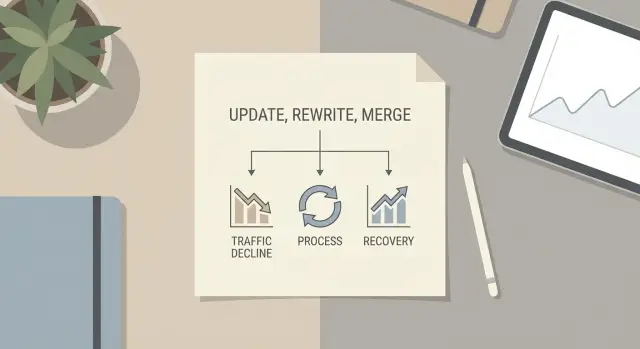
A simple decision tree: update vs rewrite vs merge
Don’t touch the page until you can name the problem. A falling chart can mean the page is worse, but it can also mean fewer people are searching, a new SERP feature is stealing clicks, or competitors have raised the bar.
The decision tree
Start by defining the page’s current main query and its search intent (what the searcher is trying to do).
- Do nothing (for now) if rankings are stable but traffic is down and the query itself is shrinking or shifting seasonally.
- Update when intent is the same, but the page is dated, thin, missing examples, or missing key subtopics now expected on page one.
- Rewrite when intent has changed or the page is misaligned (for example, it targets “best tools” but the SERP is mostly “how to” guides).
- Merge when two or more posts compete for the same query, repeat the same points, or split a topic into fragments that would perform better as one strong page.
- Split (rare) when one page is trying to satisfy two different intents (beginner vs advanced, informational vs transactional).
Picking one primary query per page
Before you edit anything, pick a single primary query to “own” with that URL.
Choose the query that best matches the page’s purpose and gives you a clear chance to satisfy the searcher. When in doubt, prefer the query where the page already ranks closest to the top (it’s usually the fastest win). Avoid choosing a broad term if the page is naturally narrow.
If you publish through a platform like generated.app, lock that primary query into your brief so every update (and any translated versions) stays aligned instead of slowly drifting off-topic.
Step-by-step: run the decision tree on one declining post
Pick one post that used to bring steady traffic and has dropped for at least a few weeks. Start by writing down what the page is supposed to win.
Name the primary query in plain words and confirm the intent. Ask: what would make a searcher happy on this page today? For example, if the query is “content refresh strategy,” the intent is usually a practical plan, not a long history lesson.
Then scan today’s top results and capture what your page is missing. You’re not trying to copy competitors. You’re looking for the new table stakes: updated examples, clearer steps, stronger structure, fresher screenshots, better answers to follow-up questions, or proof (templates, checklists, mini case studies). Keep it tight. Only note gaps that clearly affect usefulness.
Apply the decision tree:
- If intent is the same and the page is mostly correct, choose an update. Add missing sections, refresh stats, improve headings, and expand weak parts.
- If intent shifted (results now favor tools, templates, or a different angle), choose a rewrite. Keep the URL if it still makes sense, but rebuild the page around the new intent.
- If two (or more) of your own posts compete for the same query and both are thin, choose a merge. Pick the strongest URL to keep, move the best content into it, and retire the weaker one.
Make the decision using evidence, not effort. An update isn’t “lazy,” and a rewrite isn’t “brave.” The right call is the one that matches what searchers want now.
Before you publish changes, set success metrics for the next 4 to 8 weeks. Keep it to a few things you can track: ranking range for the main query, clicks from search, click-through rate, and one engagement metric like time on page or scroll depth. Add one quality goal, such as answering the key question within the first 10 seconds.
Document what you changed. A simple changelog is enough: date, decision (update/rewrite/merge), what you added or removed, and why. If you generate or polish content through a tool like GENERATED, also record which parts were regenerated and what prompt or inputs you used.
How query volatility changes your update schedule
Not every topic moves at the same speed. Query volatility is how much a search term changes over time: the top results shuffle, the angles change, and people add new words to the same core question. Your update schedule should follow that pace, not a fixed monthly routine.
What volatility looks like (and how to notice it)
In real data, volatility shows up as rankings that jump around even when you change nothing. You might see impressions stay steady while clicks drop because a new format (like “templates” or “calculator”) starts taking over.
You can spot early intent shifts by watching new modifiers in Search Console queries. If your page targets “best budgeting app” and you suddenly see “best budgeting app for couples,” “AI budgeting app,” or “free budgeting app 2026,” that’s a clue the same audience now wants a tighter angle.
A quick way to sanity-check volatility is to track three things over time: your top queries, the page’s average position, and the share of clicks coming from the top 3 queries. When the query mix changes fast, your refresh cadence should tighten.
Match the refresh cadence to the topic
As a rule of thumb:
- High volatility (weekly to monthly checks): pricing, “best” lists, tools, fast-changing products, news-driven topics
- Medium volatility (monthly to quarterly checks): how-tos tied to active platforms, feature updates, regulations that change
- Low volatility (quarterly to biannual checks): definitions, timeless principles, basic tutorials
To avoid chasing noise, set a minimum threshold before editing, such as a sustained drop for 2-4 weeks or a clear new modifier trend.
If you publish at scale, tools like GENERATED can help by tracking performance and generating targeted updates and translations, but the key stays the same: let volatility set the rhythm.
Build a refresh calendar you can actually maintain
A calendar beats good intentions. The goal isn’t to touch everything. It’s to check the right pages at the right pace, so you catch declines early without living in spreadsheets.
Start by putting every important page into a volatility bucket. A “best tools” post changes fast. A definition page changes slowly.
Use 3 volatility buckets (and simple review rhythms)
Pick buckets that match how your team works:
- High volatility: review monthly
- Medium volatility: review quarterly
- Low volatility: review every 6 months
Keep reviews lightweight by default. Think “check and adjust,” not “rewrite.” Save full rewrites for pages that fail your decision tree.
Prioritize by business value, not just traffic
Traffic is useful, but it’s not the only goal. A page that drives sign-ups, demos, email captures, or high-intent leads can be worth refreshing even if it isn’t a top traffic page.
One practical approach is a quick score out of 10: 5 points for business impact, 3 points for current organic potential (rank 4-20 with strong impressions), and 2 points for effort (low effort gets more points).
Limit how many pages you change at once. If you update ten posts in the same week, it’s hard to tell what worked. A workable pace is one bigger change per week (rewrite or merge) plus a few smaller updates.
A realistic monthly cadence for a small team:
- Week 1: 1 rewrite or 1 merge, plus 2 lightweight reviews
- Week 2: 3-5 lightweight reviews
- Week 3: 1 deeper update plus 2 lightweight reviews
- Week 4: reporting and backlog grooming
If you publish through an API-based workflow (drafts, translations, update notes in one place), keep the calendar the same. The tool can speed up execution, but the schedule keeps the work sustainable.
What to update on-page without rewriting everything
Many declining pages don’t need a full rewrite. They need a tighter match to what people are looking for right now, plus a cleanup of anything that makes the page feel old or confusing.
Start with the intro. Make the first 3 to 5 lines confirm the topic, the audience, and the outcome. If the post used to rank for “best email subject lines” but the query now leans toward “subject lines for cold outreach,” say that immediately and show what the reader will get.
Then audit freshness without pretending. Update numbers, dates, tools, and examples only if you can verify them. Replace “this year” with a specific year. If you can’t confirm a stat, remove it or swap it for a simpler claim you can stand behind.
High-impact updates that usually beat rewriting:
- Replace outdated examples, screenshots, and UI steps with current ones, or remove them if they’re no longer needed.
- Add the missing subtopic people now expect, and cut sections that don’t fit the intent.
- Rewrite headings so each one answers a real question (not vague labels like “More tips”).
- Fix internal consistency: use the same terms, keep promises aligned with what the page covers, and avoid scope creep.
- Add “proof of usefulness” fast: a short checklist, a mini template, or one clear example.
Example: if a post promises “7 steps to start a newsletter” but later drifts into choosing ad networks, readers bounce. Keep it on newsletter setup, add a short section on current deliverability basics, and move the ad topic to a separate page.
Read the page from top to bottom as if you landed on it cold. Any moment you feel lost is a moment the reader leaves. Content polishing and consistency checks (including API-based workflows on generated.app) can speed up cleanup, but the goal is simple: make every section earn its place.
How to merge overlapping posts without creating a mess
Merging works best when two (or more) posts compete for the same intent. If readers would be satisfied by either page, Google often gets confused too. The goal is one clear home for the topic, not a stitched-together mega post.
Pick the right main page (the “home”)
Choose the page with the strongest mix of performance and fit: the best match to the primary query and intent, solid backlinks (if you track them), stronger engagement, a cleaner URL and scope that can absorb the other page, and fewer technical issues.
If it’s a close call, pick the page that needs less surgery. A small upgrade usually beats a full rebuild.
Combine without duplicating or bloating
Before you move a single paragraph, write a new outline from scratch. Treat both posts as sources, not blocks to paste. Remove repeats, keep only one definition, and keep one best example.
A clean merge process:
- Map both posts into one outline, then delete duplicates
- Keep the strongest unique pieces (a checklist from post A, a case example from post B)
- Rewrite transitions so it reads like one voice
- Add a short “what’s new” section only if it helps users
- Refresh dates, stats, and screenshots so it feels current
After the content is merged, handle the technical part conceptually: old URLs should redirect to the new home page, and you should avoid having two pages that claim to be the main version. If you use canonical tags, the canonical should match your chosen home.
Make the title and snippet honest. If the new page covers more ground, update the headline, intro, and meta description so they match what a reader will actually get.
Example: if you have “Content decay audit checklist” and “Update vs rewrite content: how to decide,” merging can work if both target the same decision intent. Keep the best checklist, keep the clearest decision rules, and drop repeated definitions. If you generate drafts in GENERATED, create the merged outline first, then request a rewrite that preserves the best original sections instead of producing a brand-new article.
Common traps that make a declining post worse
A refresh can lift a post fast, but it can also break what still works. Most failed updates aren’t about effort. They’re about changing the wrong things without a clear reason.
One big trap is switching the target query halfway through. You keep the old layout, examples, and promise, then sprinkle in a new keyword. The page ends up confused: the title suggests one thing, the intro suggests another, and the sections answer neither well. If you want a different query, treat it like a new page plan, not a patch.
Another mistake is cosmetic updating. Changing the publish date and swapping a few sentences rarely helps. If rankings dropped, it usually means the page no longer matches what people expect today, or competitors cover the topic better.
Mistakes that often make decline worse:
- Chasing a new main topic while keeping the old outline and examples
- “Refreshing” only the date and a few words, without improving the answer
- Combining two pages that share terms but solve different problems
- Updating many pages at once, then not knowing which change caused what
- Forcing keywords into every heading, so the copy sounds repetitive and stiff
Merging is especially risky when intent differs. “How to update an old post” (action steps) is not the same as “why content decays” (diagnosis). If you merge those, you often bury the exact answer people came for.
A safer approach is one focused change set per page, then measurement. Improve clarity first, then depth, then optimization. If you can’t explain what you changed and why, you changed too much.
Quick checklist and practical next steps
When a post slips, resist the urge to “fix everything.” Start with a few checks that tell you whether you should update, rewrite, merge, or wait.
Use these checks before you touch the draft:
- Intent match: Does the page still answer what people mean when they type the query today?
- Freshness: Are the facts, screenshots, pricing, dates, or examples clearly old?
- Overlap: Do you have another post that targets the same question with similar headings?
- Demand trend: Is interest stable, seasonal, or dropping across the year?
- SERP shift: Are the top results now mostly different formats than yours?
Pick one action:
- Update if the intent is right but details are old.
- Rewrite if intent changed or the structure fights the reader.
- Merge if two or more posts compete or repeat each other.
- Monitor if the drop is tiny, seasonal, or tied to a temporary event.
Set your next review date based on a volatility bucket. High-volatility topics (news, fast-moving tools, pricing, “best of”) deserve a check every 2 to 4 weeks. Medium-volatility topics fit a 6 to 8 week check. Low-volatility evergreen topics can be reviewed every 3 to 6 months.
After a change, give it time to work. Track outcomes for 4 to 8 weeks before you make another major edit, unless there’s a clear mistake (broken steps, wrong facts, missing answer).
Practical next steps:
- Pick one declining post and write a one-sentence job to be done for the reader.
- Refresh only the weakest section first (often the intro, outdated examples, or missing steps).
- If you use GENERATED on generated.app, keep each refresh small enough to measure: regenerate only the sections that need help, then track performance of your CTAs and the updated version over the next few weeks.
- Log what you changed and the date, so the next review is based on evidence, not memory.
Frequently asked questions
My post is losing traffic—how do I tell if it’s a ranking problem or a demand problem?
Start by checking whether impressions, average position, or clicks changed first. If impressions dropped across many queries, demand may be down; if impressions are steady but clicks fell, your snippet or SERP features may be stealing attention; if position fell while demand stayed steady, the page likely needs a stronger match to what searchers want now.
How do I know if search intent changed for my main query?
Look at what the top results are trying to help the searcher do right now. If the results are mostly product pages, comparisons, or templates and your page is a general explainer (or the reverse), intent likely shifted and small edits won’t be enough.
What’s the simplest way to choose between an update, a rewrite, or a merge?
Update when the page still matches intent but feels dated, thin, or incomplete. Rewriting is for when the page’s angle is wrong for the current SERP, or the structure fights the reader. Merging is for when two of your pages answer the same question and split clicks and relevance.
How do I choose one primary query per page without second-guessing it?
Pick one primary query that the URL should “own,” based on the page’s purpose and the query it can satisfy best. A practical default is to choose the query where you already rank closest to the top, because it’s usually the fastest win without changing the page’s identity.
How can I spot cannibalization between two similar posts?
Start by scanning your own site for similar posts that share the same main terms, headings, and intent. Then confirm in Search Console whether another page on your site is getting impressions or clicks for the same queries. If two pages overlap heavily, decide which one should be the clear “home.”
If I’m not rewriting, what are the highest-impact on-page updates to do first?
Begin with the intro and the first screenful of content, because that’s where mismatched intent and confusion show up fast. Next, refresh time-sensitive details like screenshots, stats, and tool names only if you can verify them. Then fill the one or two missing sub-answers that page-one results consistently cover.
Why can a full rewrite make a declining post perform even worse?
Big edits can remove the sections that earned links, break internal references, or change headings so the page no longer clearly matches the query. They also make it harder to learn what actually helped, because too many variables change at once. A safer default is the smallest change that could plausibly fix the issue, then measure.
What’s the safest way to merge two overlapping articles without creating a bloated mess?
Choose the page that already best matches the intent and has the cleanest scope, then build a fresh outline that uses both posts as sources rather than copy-pasting blocks. After merging, keep one clear main version of the topic and retire the weaker duplicate so you don’t keep splitting signals.
How often should I refresh posts, and what does “query volatility” change?
Use a simple volatility rule: fast-changing topics like “best tools,” pricing, and platform-dependent guides need more frequent checks than definitions and evergreen basics. If you notice new query modifiers appearing or the top results changing format, shorten the review cadence for that page.
After I update a post, how long should I wait before changing it again?
Set a short measurement window and specific success metrics before you publish, then avoid major new edits for 4 to 8 weeks unless you introduced an obvious problem. Track a small set of signals like ranking range for the main query, clicks, click-through rate, and one engagement metric so you can attribute changes to your update.