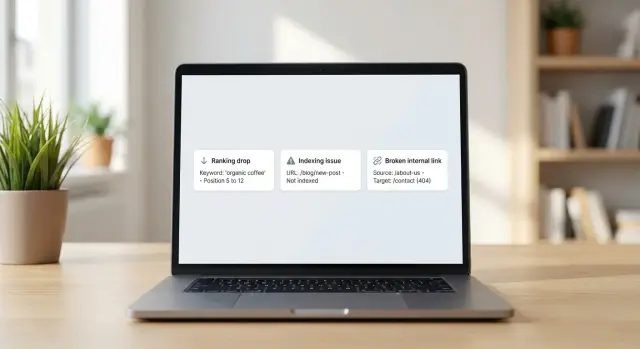
What can go wrong right after you publish
The first 24 to 72 hours after a post goes live are when small problems turn into slow, expensive ones. This is when search engines first discover the page, test it, and decide how often to crawl it. It’s also when most people on your team still remember what changed, so fixes are faster.
A quick ranking dip isn’t always a real problem. New pages often bounce around as Google figures out where they belong. A real issue looks different: the page drops and stays down, or it never appears for any related queries even after a few days.
Indexing is similar. A delay is common, especially for newer sites or low-priority pages. An indexing failure is when the page stays missing because of something concrete: a noindex tag, a blocked URL, a canonical pointing elsewhere, or a redirect you didn’t mean to create.
Broken internal links are the sneaky one. One bad link can frustrate readers, waste crawl attention, and hide your new page from the rest of your site if it’s only reachable through that path.
For a small team, “good enough” content monitoring alerts usually cover a short list of issues:
- The page isn’t indexed after a set window
- A sharp drop in traffic or impressions (beyond normal noise)
- New internal 404s
- An unexpected redirect or canonical change
- The title or meta description changed from what you published
Example: you publish a new guide, share it internally, and someone reports a 404 on a “related post” link. Fixing that the same day can restore the path crawlers use to reach the new page.
Define what you want alerts to catch
Before you set up content monitoring alerts, decide what “success” looks like for a brand-new post. The point isn’t to watch everything. It’s to catch the few problems that lead to real traffic loss or messy rework later.
Start by choosing which pages deserve alerts. For most sites, that’s:
- New posts for the first 7 to 14 days
- Major updates to older posts
- A small set of key landing pages that can’t afford surprises
If you publish often, narrow it further to posts tied to high-value queries or a specific campaign.
Be clear about the goal behind the alerts. Are you protecting search traffic? Catching publishing mistakes (like a wrong canonical tag)? Spotting broken internal links before users hit them? When the goal is clear, the rules get simpler and people take them seriously.
Assign ownership. Alerts that “everyone” receives usually get ignored. Pick one owner, set a simple rotation, or route them to a shared inbox that someone checks daily.
Set expectations for response time. Same-day response is great for indexing problems and 404s. Ranking movement often makes more sense as a weekly review unless it’s a major drop.
If you want a quick way to make this real, write down:
- Which pages are covered (and for how long after publish)
- Which issues matter (indexing, rank drops, broken links, tracking)
- Who does the first look
- How fast they should act (today, 48 hours, weekly)
- What “done” means (fix applied, rechecked, noted)
If you publish via API with a content system like GENERATED, you can tie these rules to your publish events so alerts start automatically when a post goes live.
Choose the signals: rankings, indexing, and links
Good content monitoring alerts rely on a small set of signals that tell you quickly whether a new post is healthy. If you try to watch everything, you’ll end up ignoring the alerts.
Indexing signals (the fastest “something’s wrong” hint)
Indexing status is usually the first stop. Track whether the URL is found, crawled, indexed, or excluded. “Excluded” isn’t always bad, but it’s a clear reason to check what happened (canonical choice, noindex tag, duplicate detection, or a crawl issue).
A simple sanity check is to watch organic impressions and clicks for the page. Even low numbers are useful. If impressions stay at zero for days, that points to an indexing issue or a discovery problem.
Ranking and link signals (the “quality and wiring” checks)
For rank drop detection, only monitor a small set of target queries per post, often 3 to 5. That keeps the noise low and makes the alert actionable. Rankings move naturally, so focus on big changes rather than daily wiggles.
Internal link monitoring is where many new posts fail quietly. After publishing, check for broken internal links (404s), unexpected redirects, and anchors that don’t match the page’s intent. A redirect isn’t always wrong, but it can weaken the signal if you meant to link directly.
If you can access them, add basic technical signals too: page load failures and server errors. These often explain sudden drops before you start rewriting the content.
A practical “signals to track” starter set:
- Indexing state changes (crawled to excluded, or not indexed after X days)
- 3 to 5 query rank checks with a threshold for big drops
- Internal link health (404s, unexpected redirects, mismatched anchors)
- Organic impressions and clicks trend (flat zero vs starting to move)
- Page availability (timeouts or 5xx errors)
Example: you publish a guide and it gets impressions, but rankings slide and internal links show two 404s. Fixing those links is often the fastest win, before you touch the text.
Set baselines and time windows that avoid false alarms
Most alert systems fail because they panic too early. If you want alerts people trust, decide what “normal” looks like for a brand-new post.
Start with a small keyword set per post. Pick 5 to 20 queries that match the page’s main promise: one primary term, a few close variations, and a couple of long-tail queries. Hundreds of keywords create noise, and noise gets ignored.
Choose a baseline that fits the post
A baseline is the reference point you compare against. Use one of these depending on the topic and your site:
- Publish-day baseline: good for brand-new topics with no history
- Last 7 days: good for steady sites with frequent publishing
- Last 28 days: better when rankings move slowly or you have weekly cycles
If you use a rolling baseline, keep it consistent across posts so the alerts mean the same thing.
Add a quiet period after publishing
Search systems and caching can lag. Set a quiet period (for example, 4 to 12 hours) where you collect data but don’t alert. For rank drop detection, you may wait 48 to 72 hours before treating movement as a real problem.
Seasonal or news-driven pages need special handling. A holiday guide will swing week to week, and a news post can spike then fade fast. In those cases, compare against the same day of week (or the first 24 hours) instead of a long baseline.
Example: you publish a “tax deadline” post. A 28-day baseline will trigger false drops after the peak week. A 24-hour baseline with a 6-hour quiet period stays calm and still catches real indexing issue alerts.
Pick data sources you can maintain
The best content monitoring alerts are built on data you’ll still collect three months from now. If a source is hard to access, needs lots of manual cleanup, or breaks often, your alerts will quietly die.
Start with sources that reflect what search engines see. Search Console style data is usually the simplest way to confirm whether a new URL is indexed, whether impressions started, and whether clicks suddenly stop. It’s also where many indexing problems show up first (page not found, blocked, or not selected as canonical).
Next, add one analytics source for reality checks. Rankings can wobble while traffic stays fine, so use sessions and engagement to avoid panic. If your analytics tagging is sometimes missing on new templates, fix that first or your alerts will fire for the wrong reason.
For internal link monitoring, keep it lightweight. A small crawl run against just the new post and its linked pages can catch broken internal links right away, without auditing the whole site.
A maintainable setup often looks like:
- Search Console export for indexing status, impressions, and query changes
- Analytics for traffic and engagement shifts on the new URL
- A simple crawl report for status codes and internal link errors
- Rank checks for a short keyword list (manual or a basic tracker)
- One place to store results (a spreadsheet or a small database)
Example: after publishing a post, you record the URL, target keywords, and publish date in one sheet. Each morning for 7 days, you add a quick snapshot from these sources. That habit makes alerts reliable, and it’s easy to automate later with an API-driven workflow.
Step by step: a lightweight alert system setup
A lightweight setup is a repeatable routine: collect the right URLs, check a few signals on a schedule, and send alerts to the place your team already watches.
Start with a monitoring sheet (or small database) that stores one row per URL. Include the publish date so you can apply different rules to a brand-new post versus an older one.
Setup steps (30 to 60 minutes)
- Create the URL list: new posts plus a few key templates (category pages, author pages, your main blog index).
- For each URL, add a keyword group (1 to 3 close phrases) and the publish date.
- Add a check schedule: hourly for the first 24 hours, daily for the next 7 days, then weekly.
- Choose alert delivery: email for solo work, chat for teams, tickets for accountability, or a webhook if you already have automation.
- Log every alert: date, URL, what triggered it, who saw it, and what action you took.
Keep the checks small. For example: “Is the page indexed?”, “Did rankings move sharply for the main keyword group?”, and “Did internal links break after the publish?”
If you use a content platform like GENERATED (generated.app), you can wire alerts through its API so new URLs are added automatically when a post goes live, then track what happened after each fix. The point isn’t perfection. It’s catching issues while the post is still fresh.
Simple alert rules that people actually follow
Alerts fail when they fire too often, too early, or without a clear next step. The goal of content monitoring alerts isn’t to catch every tiny wobble. It’s to catch problems that need action.
Use two severity levels
A simple “warning” and “critical” setup reduces panic. Warnings mean “keep an eye on it.” Critical means “stop and fix.”
Rules that stay calm, but catch real issues
Use a short time window and repeat checks so one bad data point doesn’t create noise.
- Rankings: Warning if a keyword drops about 5 positions for 2 checks in a row. Critical if it drops about 10 positions for 3 checks, especially if you were on page 1.
- Indexing: Warning if the page still isn’t indexed after 2 days. Critical after 5 to 7 days (assuming the page is meant to be public and crawlable).
- Internal links: Critical if the new post introduces any new 404s. Warning if it creates redirect chains (for example, a link that goes through 2+ redirects).
- Traffic: Only alert once there’s enough data. Warning if a 7-day total is down 30% vs the prior 7 days. Critical at 50% (skip this for brand-new posts).
Example: you publish a post and get an indexing warning on day 2. That’s your cue to check if the page is accidentally noindexed, blocked by robots rules, or missing from your sitemap. If you generate content via an API (like GENERATED), confirm the rendered page exposes the right meta tags and returns a clean 200 status.
How to respond to indexing issues quickly
When an indexing alert fires, the goal is simple: figure out whether the page can be found, crawled, and chosen as the right version. Fast checks beat guesswork.
Start with discoverability. A brand-new page often fails to index because nothing points to it yet. Make sure it’s linked from at least one relevant existing page (not just the homepage), and that it appears in your sitemap output. If your CMS creates category or tag pages, confirm the new post shows up there too.
Next, confirm crawlability. Open the page source and look for a meta robots tag that accidentally says noindex. Then check your robots rules to make sure the path isn’t blocked. Also watch for redirects, especially if you changed the URL after publishing.
Canonical and duplicates are often the real cause. If the canonical points to a different URL, search engines may ignore the new page. This can also happen when you publish two very similar posts, or when parameters create multiple versions of the same page.
Quick triage checklist:
- Verify at least one internal link points to the page
- Confirm it’s in the sitemap you submit
- Check for
noindex, blocked robots rules, or unexpected redirects - Confirm the canonical URL matches the page you want indexed
- Record what you changed and when
If everything looks correct, request a recrawl (or use an instant submission method like IndexNow if you have it) and log the timestamp. Wait 24 to 72 hours before changing more. Change something sooner only when you find a clear blocker like noindex, a robots block, or a wrong canonical.
How to catch broken internal links after publishing
Broken internal links often show up right after a publish, especially if you changed a slug, moved a post into a new category, or deleted an older page that used to be the obvious link target.
Start with a focused crawl, not a full-site audit. Check the new post first, then crawl the handful of pages that point to it (homepage modules, category pages, “related posts,” and any nav blocks that were updated to include the new URL). This keeps the signal clean.
Where links break most often
Most failures come from a few patterns:
- A renamed slug that old drafts or templates still reference
- A moved category path that changed the URL structure
- A deleted page that was linked as a “definition,” “pricing,” or “about” reference
- A copied internal link from an older post that had a temporary URL
- A manual typo (missing trailing slash, wrong letter, extra parameter)
When you find a broken internal link, fix it with the simplest option: update the source link to the correct final URL. Avoid chains of redirects inside your site. They add delay and often hide future mistakes.
To make this repeatable, standardize checks for the same spots every time you publish: the new post body, related-post modules, and any navigation or footer blocks that were touched.
Retest and stop the repeat
After updating, do a quick retest and record what happened:
- Re-crawl the updated pages to confirm 200 status
- Note the root cause (slug change, moved page, deletion)
- Add one small rule to your publish checklist (for example, “verify related posts module links”)
- Store the fix in your team notes so the same template mistake doesn’t come back
If you later automate this, an API-first setup can run these checks after every publish, but the habit of a focused crawl is what prevents most internal link breakage.
A realistic example: one post, three alerts, one fix plan
A new post goes live on Monday morning: “How to choose a reusable water bottle.” You’ve set up content monitoring alerts for new URLs only, so the first week gets extra attention.
By the end of Day 1, Search Console shows impressions rising, but clicks stay flat. That’s not a technical failure, but it’s an early hint that the title or snippet might not match what people want. You log it as a “watch” alert, not an emergency.
On Day 2, two real problems hit. First, the page status flips to “crawled but not indexed.” Second, your internal link checker finds that a key link from the new post to your “Cleaning guide” now returns a 404 because that older page was renamed.
Fix plan that gets followed:
- Fix the broken internal link (update the URL and re-check the page).
- Update the title and meta description to match the main query (be specific, promise a clear outcome).
- Request a re-crawl after the link is fixed.
- Monitor index status, impressions, and the top 5 queries daily for 7 days.
- If it’s still not indexed after a week, review quality signals: thin sections, duplicate angles, or missing internal links.
By Day 4, the internal link alert clears. By Day 5, the indexing warning disappears and the page shows as indexed. Over the next week, rankings settle and clicks start to rise in line with impressions.
The key point: one post triggered three different alerts, but only two needed urgent action. Your system stays calm because it separates “performance hints” from “publish blockers.”
Common mistakes that make alerts noisy or useless
Alert systems fail when they create more anxiety than action. Good content monitoring alerts should point to real problems, not normal wiggles.
One common trap is treating every small ranking move as an emergency. New pages bounce around for a while, especially in the first 7 to 14 days. If your alert fires every time a keyword moves one or two spots, people will ignore it, even when a real drop happens.
Another mistake is watching too many keywords per page. A single post can rank for dozens of terms, but only a few matter. Pick the queries that match the page’s purpose and reflect meaningful traffic.
Ownership is the silent killer. If an alert doesn’t have a clear person responsible for checking it, it becomes background noise. Even a simple rule like “SEO checks indexing, content fixes copy, dev fixes links” beats “someone should look at this.”
Indexing checks that run weekly are also too slow for new posts. The first 24 to 72 hours is when you want to catch problems like a noindex tag, a blocked path, or an accidental canonical.
Finally, quick fixes can create new crawl issues. Redirecting a broken internal link is fine, but stacking redirects (A to B to C) often slows crawling and can confuse signals.
Patterns that usually make alerts useless:
- Thresholds that are too sensitive (alerting on tiny rank changes)
- Tracking too many keywords per URL
- No owner or no routine for checking alerts
- Indexing checks that run too infrequently right after publish
- “Fixes” that add redirect chains instead of updating the link
If you’re using a tool like GENERATED to publish quickly, it’s worth keeping the alert rules just as simple so the team actually follows them.
Quick checklist for every new publish
Treat the first week after publishing as a short watch period. If something breaks, you want to notice it while the post is still fresh and easy to fix.
A simple 5-minute post-publish SEO checklist:
- Add the new URL to your monitoring list right away (rank tracking, index checks, and link scans). Include the publish date so you can filter new posts easily.
- Schedule indexing checks for day 1, day 3, and day 7. You’re looking for: not indexed, indexed with the wrong title/snippet, or indexed under an unexpected canonical.
- Pick 3 to 8 top keywords for the post and record a baseline. For a new page, the baseline can be “no ranking yet.” Set a simple threshold like “drops 10+ positions” or “falls out of top 50” once it first appears.
- Run an internal link scan after publishing, then run it again after edits that touch headings, slugs, or navigation blocks. Broken anchors and changed URLs often happen during quick tweaks.
- Log every alert and what you did in one place. Keep it short: date, alert type, cause, fix, outcome.
Example: you publish a new guide, it’s still not indexed on day 3, and the log shows you also changed the slug after launch. That’s a clear path: revert or properly redirect the slug change, resubmit, and keep monitoring through day 7.
Next steps: keep it simple, then automate
Start with one content type you publish often, like blog posts. Build alerts for that single flow, run it for a few weeks, and fix what’s noisy. Once it feels stable, reuse the same pattern for other content types (news, glossary pages, landing pages) instead of inventing new rules each time.
Choose one owner and one place where alerts are recorded. If an alert doesn’t lead to action, it isn’t helping and should be changed or removed.
What to automate first (the boring parts)
Keep the thinking manual for a while, but automate routine work:
- Scheduling checks (same times every day)
- Logging results (so you can compare week to week)
- Notifications (one channel, clear subject line)
- Assigning a basic status (new, acknowledged, fixed)
After a month, do a short review. Remove rules that never catch real problems, and tighten rules that fire too often.
When you publish at scale
If you’re shipping lots of pages, it can be easier to rely on one system for creating, serving, and tracking content instead of stitching together many small tools. For example, GENERATED (generated.app) combines content generation, API delivery, performance tracking, and indexing support like IndexNow. A practical approach is to route only new posts through that workflow first, confirm it saves time, then expand.
Frequently asked questions
How soon after publishing should I start monitoring a new post?
For most sites, the first 24 to 72 hours are the priority because that’s when discoverability, indexing, and obvious wiring mistakes show up. Keep tighter checks for 7 to 14 days on new posts, then switch to a lighter weekly review.
How do I tell a normal ranking wobble from a real issue?
A normal dip is brief movement while search engines test where the page belongs. A real problem is when the page never gets impressions, doesn’t get indexed after a reasonable window, or drops and stays down for several checks in a row.
What should I check first when an indexing alert fires?
Start with the basics: make sure the page returns 200, isn’t blocked by robots rules, and doesn’t have a noindex tag. Then confirm the canonical points to the same URL you published and that at least one relevant internal page links to it.
What alert thresholds keep the system calm but still useful?
Use two levels: warning for “watch this” and critical for “fix now.” Set thresholds that require repeat confirmation, like the same drop across multiple checks, so one bad data point doesn’t spam your team.
How many keywords should I track per new post?
Track only 3 to 5 core queries per post at first, chosen from the page’s main promise and close variations. Monitoring dozens of keywords creates noise and makes it harder to act when something meaningful changes.
Why are broken internal links treated as a “critical” alert?
A single broken link can block users, waste crawl attention, and reduce how easily crawlers reach the new post through internal paths. It’s also one of the fastest fixes you can make without rewriting content.
Should I add a “quiet period” after publish to avoid false alerts?
Use a short quiet period right after publishing so caching and initial crawl delays don’t trigger false alarms. A common setup is collecting data for a few hours without alerts, then treating ranking movement as meaningful only after 48 to 72 hours.
What data sources are the minimum for reliable content monitoring alerts?
If you can only pick a few, use search performance data for indexing state and impressions, analytics for traffic reality checks, and a lightweight crawl for status codes and internal link errors. Choose sources you can still pull regularly without manual cleanup.
Who should own these alerts on a small team?
Give alerts a single owner or a clear rotation so nothing falls into “everyone saw it, no one fixed it.” Define what “done” means, such as “fix applied, rechecked, and logged,” so alerts don’t linger without closure.
What should I automate first if I publish via an API or a platform like GENERATED?
Automate the boring parts first: adding new URLs to monitoring when a post goes live, scheduling checks, and logging outcomes. If you publish via an API-driven system like GENERATED, you can trigger monitoring from publish events and then track what changed after each fix.